
Monica
Read, research and draft beside the page open in your browser
What is Monica?
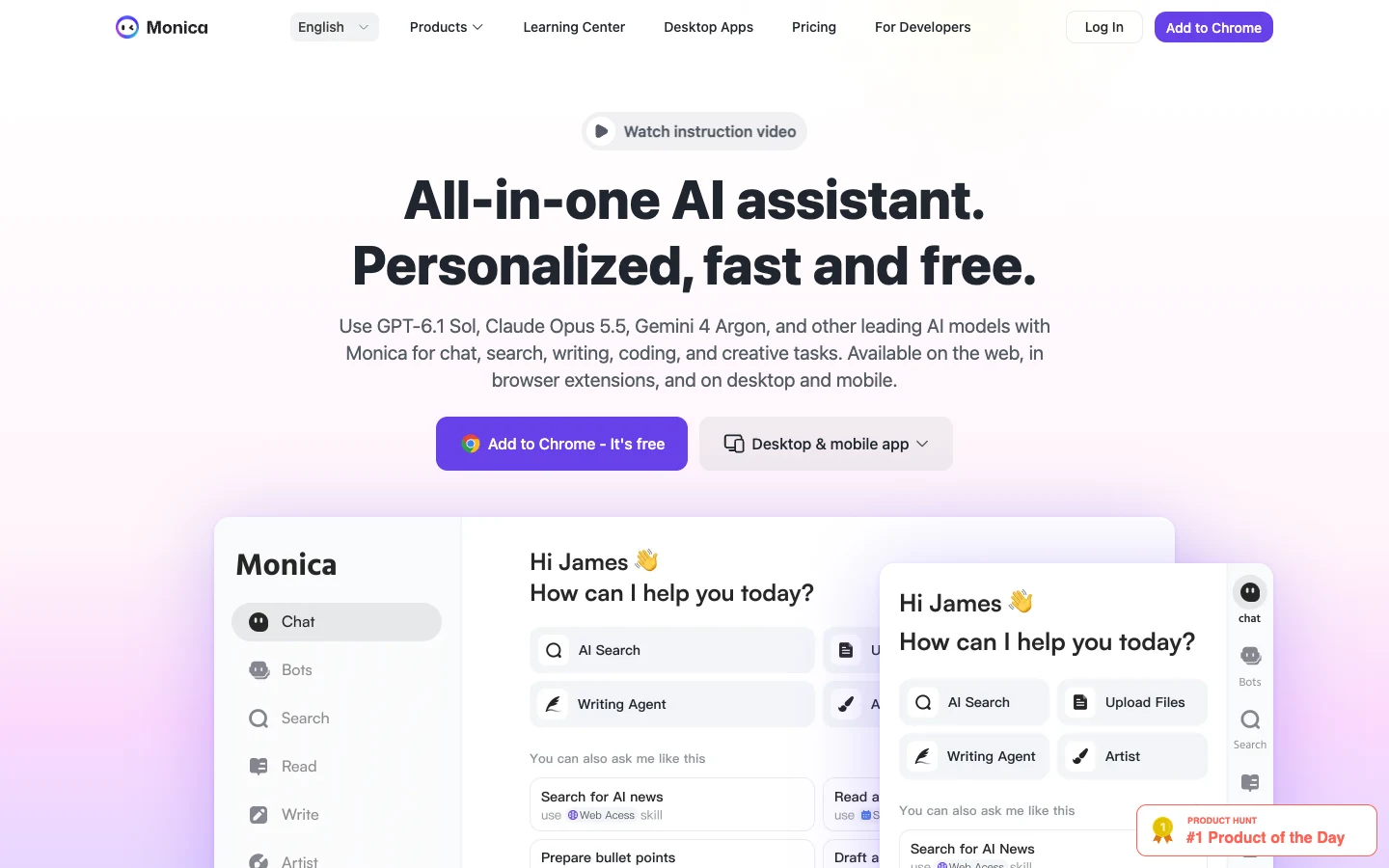
Monica is a multi-model AI assistant for reading, writing, translation and creative tasks. Its browser extension works beside the open webpage, while file chat takes documents as context. You can move from a summary or comparison to a draft without copying each source into a separate editor.
Read and compare source material
Bring a question to the webpage, PDF or video you are reading. Monica can summarize the source and answer follow-up questions, helping you move from an overview to the particular information you need. Translation can sit beside the original page or document, so unfamiliar language does not require abandoning the source.
Turn the reading into a draft
Use the material to write an explanation, revise a passage or prepare a reply. In Gmail, the incoming message supplies context for the response; on other pages, selected text can be explained or rewritten. Different models are available for the conversation, with the web, desktop and mobile apps offering ways to continue away from the browser extension.
Save references for later work
Memo keeps pages, conversations, images and documents available for later questions. A saved collection can inform another writing task after the original tabs have closed. For visual work, Monica also offers image and video generation and image editing, such as changing a background or removing an unwanted object from a picture.
What can Monica do?
- 01
Summarize source material
Extract key points from webpages, PDFs and YouTube videos
- 02
Compare original and translation
Display pages or PDFs side by side
- 03
Draft contextual replies
Prepare Gmail responses using the message being answered
- 04
Save material in Memo
Collect pages, chats, images and PDFs for later questions
- 05
Create and edit media
Generate images or video and revise backgrounds or unwanted objects
How do I get started with Monica?
- 1
Install the extension
Add Monica to your browser, sign in and open the webpage you want to read
- 2
Request a summary
Click the book icon in Monica's chat box and choose Summarize this webpage
- 3
Inspect the result
Read the key points and click one to jump to its matching passage in the original page
What does Monica work with?
- Messenger
- Line
- Telegram
- DOCX
- XLSX
- CSV
- JPEG
- PNG
- WEBP
- TXT
- Markdown
- WAV
- MP3
- M4A
How much does Monica cost?
- Free plan · 40 basic-model requests per day, with limited trials of image, video, PDF and agent tools.
- or $8.30/mo billed yearlySave 16%
What are Monica's limitations?
File conversations
A session accepts up to 20 files, with a 20 MB limit per file and 100,000 characters of combined content
Monica FAQ
Does the extension require a separate GPT account?
No. A separate GPT account is not required to use the Monica extension.
More tools like Monica
 Merlin
Research and write with webpages, videos and files beside your browser
 Character.AI
Improvise conversations and stories with fictional characters
 ChatGPT
Work through questions, files and creative tasks in conversation
 Gemini
Research, write and create media with Google’s conversational assistant
 Microsoft Copilot
Draft, research and analyze information across Microsoft 365
 DeepL
Translate business text and documents with consistent terminology
 Grammarly
Revise grammar, clarity and tone while you write
 Teal
Tailor resumes and track applications throughout a job search