Best AI Video Editors
Discover AI video editors for captions, reframing and text-based edits.
Updated Nov 24, 2026

Edit and caption videos in the browser for publication

Generate and revise shots for filmmakers and video editors

Edit spoken audio and video by working with the transcript

Turn long recordings into captioned shorts for social publishing

Edit social videos with captions, generated media and voice tools

Create and localize video in a shared browser timeline

Direct video edits through conversation while retaining timeline control
Related categories
What is an AI video editor?
An AI video editor cuts, captions and reframes footage you already have, and returns a trimmed, captioned video ready to publish. The tools here edit from a timeline, from the transcript or from a written instruction.
What to look for in an AI video editor
- 01
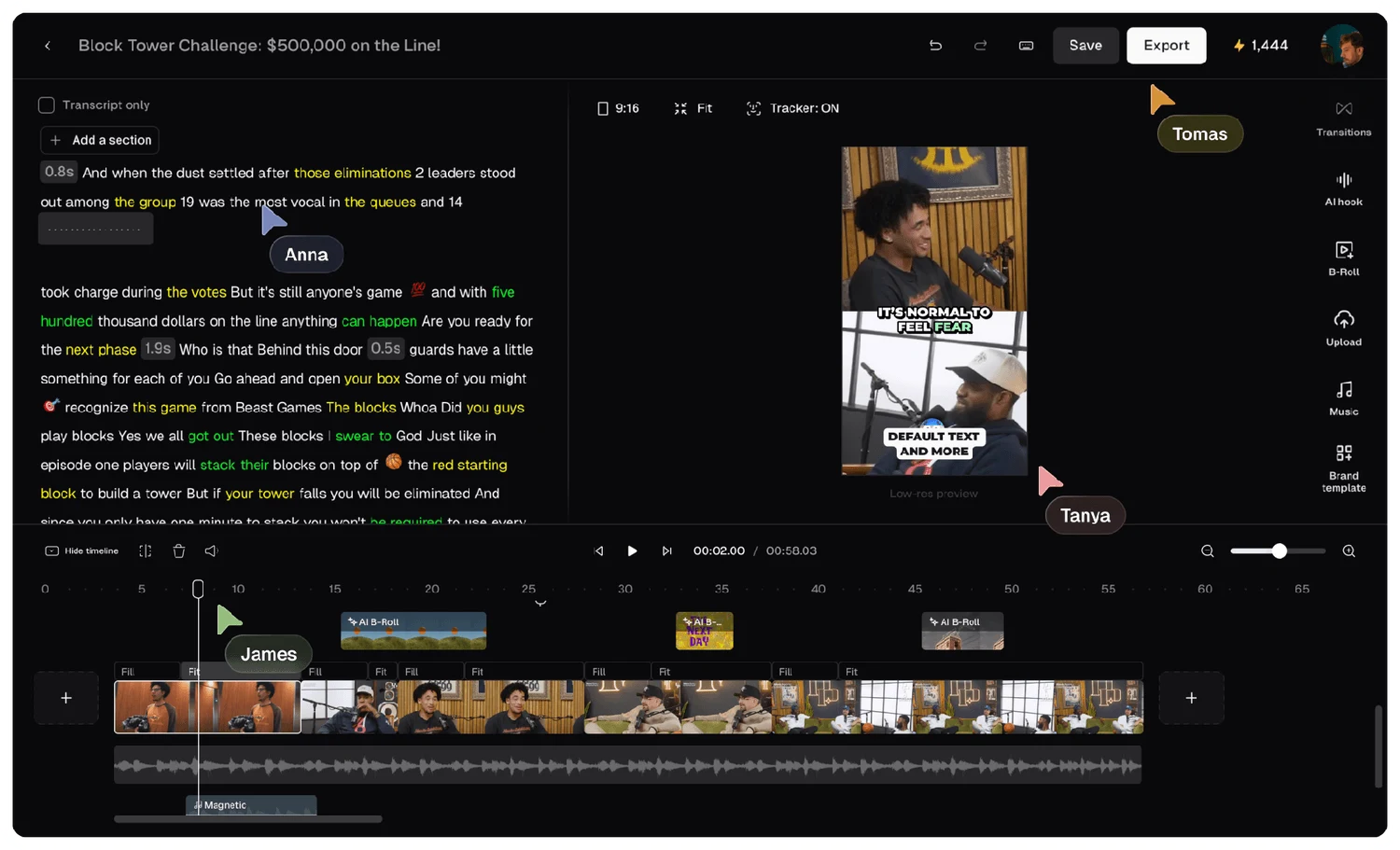
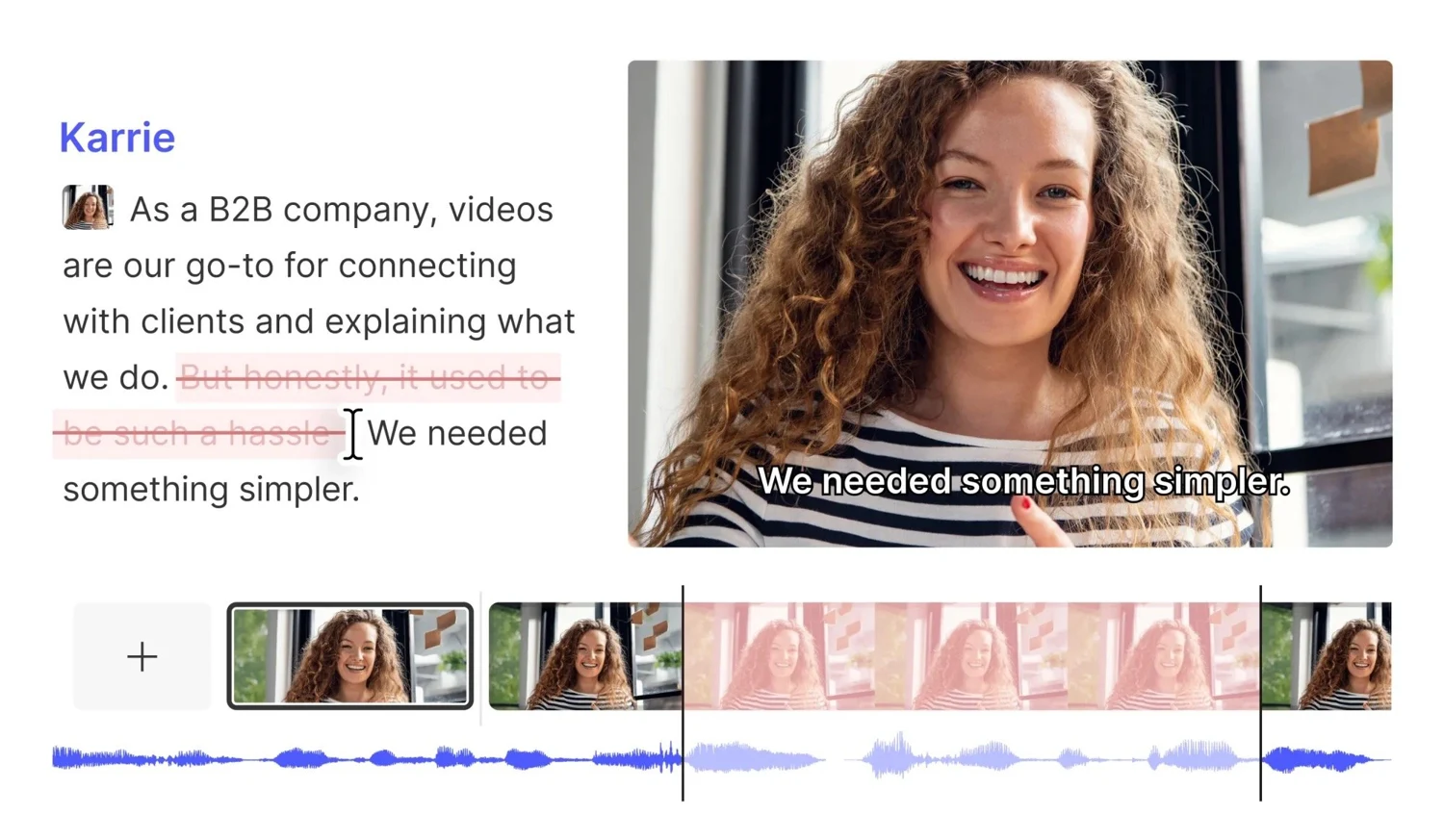
Edit by transcript
Descript and Kapwing cut footage when you delete words in the transcript.
- 02
Long video to shorts
OpusClip picks highlights from recordings of up to ten hours and tracks the subject when it reframes for vertical video.
- 03
Captions and translation
VEED and CapCut generate subtitles and translate them, and Kapwing adds voiceovers and dubbing.
- 04
Prompted edits
invideo changes several clips from one written direction, and CapCut accepts instructions through EditPilot on supported desktop versions.
- 05
Pro editor handoff
invideo exports to Premiere Pro, Final Cut Pro and OpenTimelineIO, and Descript exports XML for Premiere and Final Cut.
- 06
Generated footage
Runway generates shots from prompts and reference images, then replaces backgrounds, adjusts lighting or removes elements.
- 07
Platform gaps
CapCut Auto Cut is missing from CapCut Web, and Descript imports from Google Drive only on the web app.
Which AI video editor fits your work
Interview podcasters
Cut long conversations into episodes and excerpts.
DescriptClient-social agencies
Produce branded clips for several client accounts.
OpusClipTraining localization producers
Adapt tutorials into captioned and dubbed lessons for other languages.
KapwingVideo production editors
Turn shot plans and source footage into finished sequences.
invideoHow does an AI video editor work?
CapCut, Kapwing and VEED all run these three steps on a timeline, with captions added during the edit.
- 01
Import
InputClips from an album, a link or an uploadOutputFootage on the timeline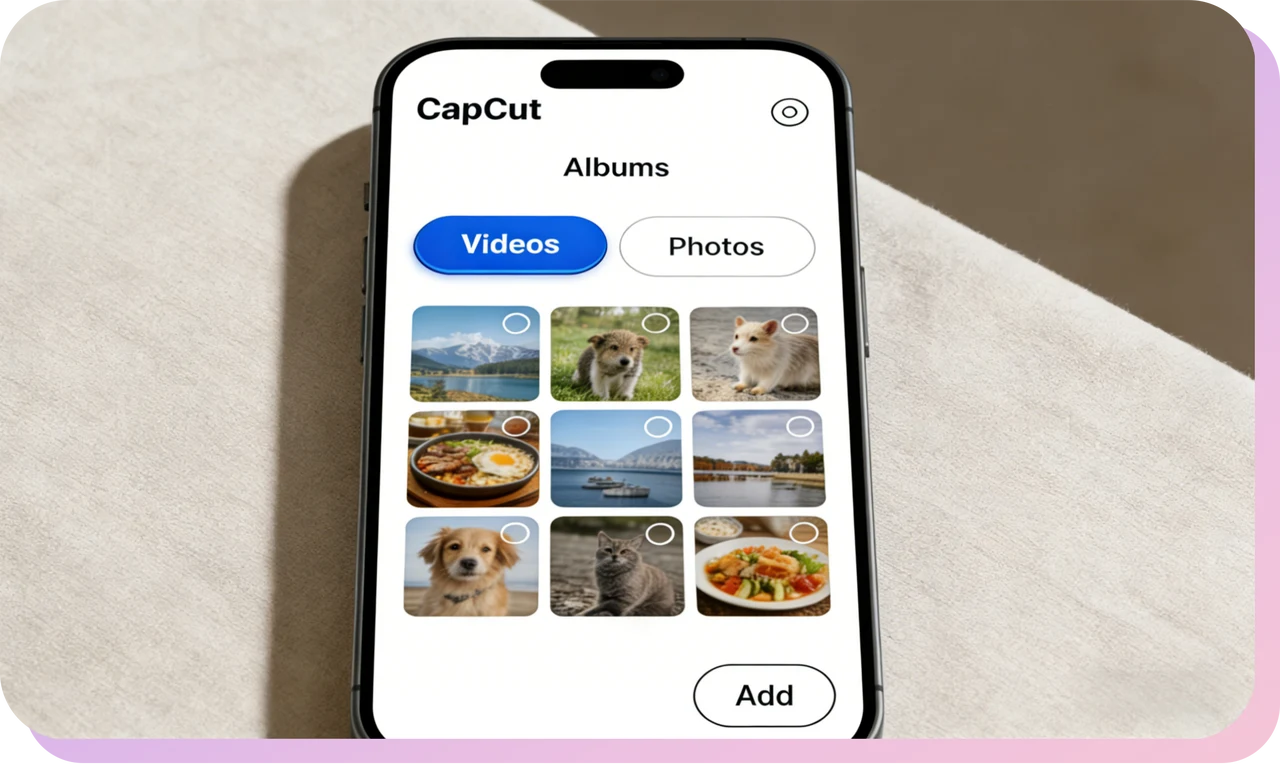 Picking clips from the phone album in CapCut
- 02
Edit
InputRaw clips, text and captionsOutputA trimmed, captioned sequence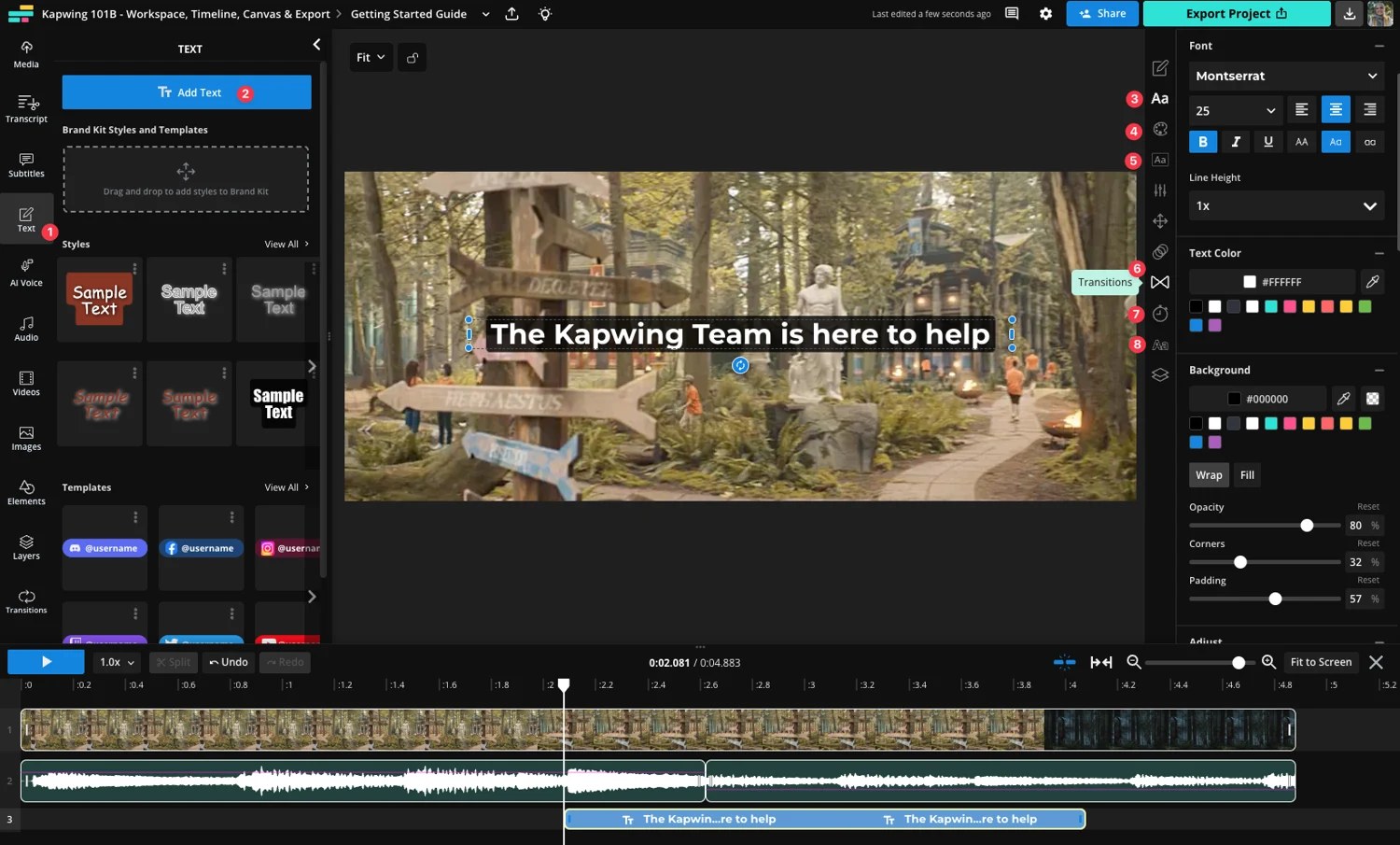 Styling on-screen text on a timeline clip in Kapwing
- 03
Export
InputThe finished sequenceOutputAn MP4 at the chosen resolution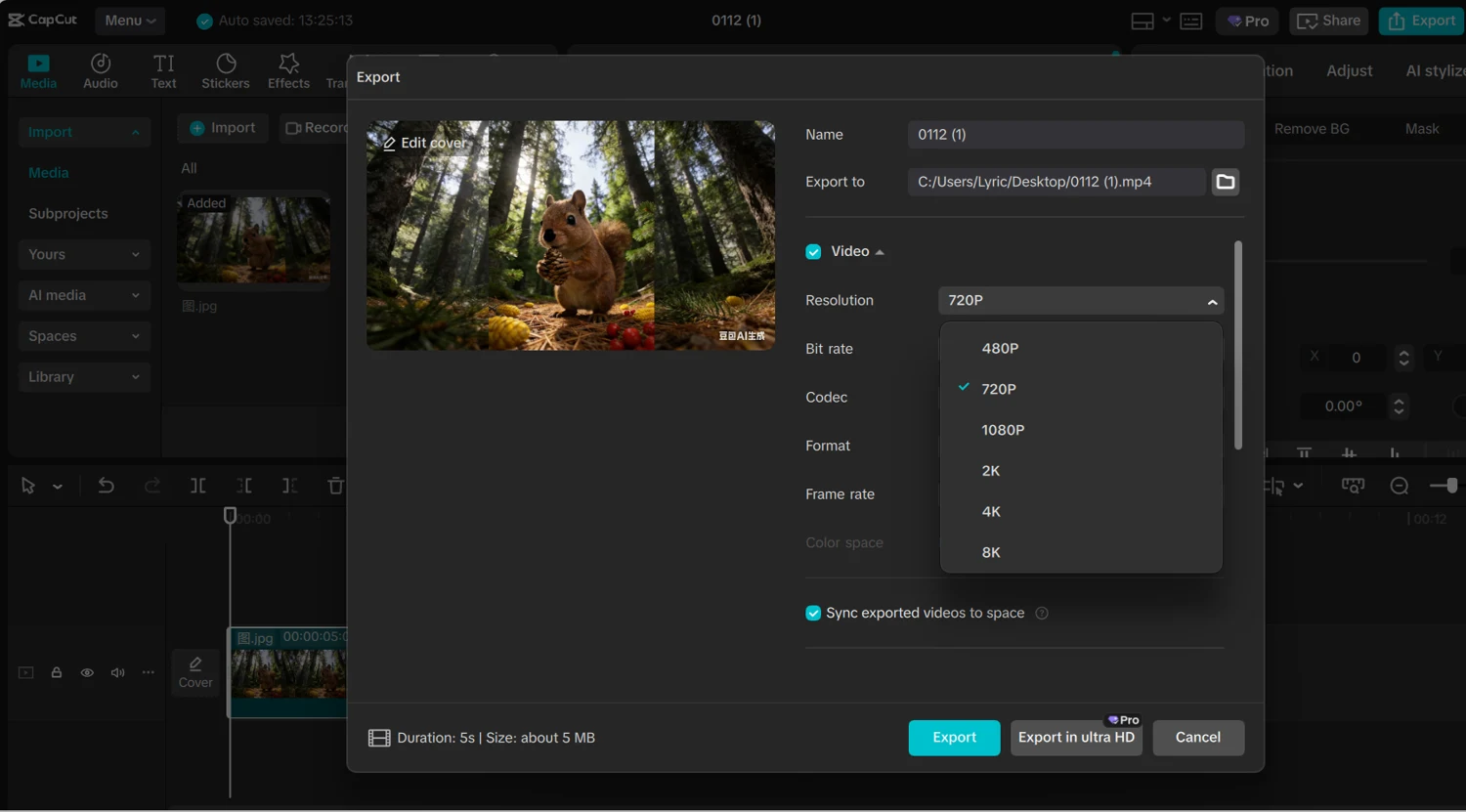 Resolution choices in the desktop export dialog of CapCut
Frequently asked questions
Are there free AI video editors?
Yes. 7 listed AI video editors offer a free plan, including VEED, Runway, Descript. Use the Pricing filter to compare free, freemium, and paid options.
Which AI video editors have an iOS app?
2 have an iOS app, including Runway, CapCut. Use the Platform filter to check other platforms.
How are these tools ranked?
Recommended order shows matching Pro listings first, then Basic, then free and editorial listings. Listings within each group are ordered by publication date. You can also sort by newest or by name.