Best AI Agents
Discover AI agents that work through multi-step tasks for you.
Updated Nov 24, 2026

Delegate repository changes and engineering maintenance to coding agents

Automate handoffs between business apps, forms and AI tools

Map app integrations and AI agents on a visual automation canvas

Connect apps, APIs and AI agents with visual automation

Build business apps backed by project data, AI agents and automation


Create digital presenters for scripted videos and live conversations
Build AI applications from visible logic, knowledge and reusable tools

Implement and review repository work across editor and agent sessions
Related categories
What is an AI agent?
An AI agent works from a stated goal, calls tools and apps without step-by-step prompts, and hands back finished work you can review. The tools here open pull requests on a repository, run workflows across business apps, or answer through agents you configure on a canvas.
What to look for in an AI agent
- 01
Pause for approval
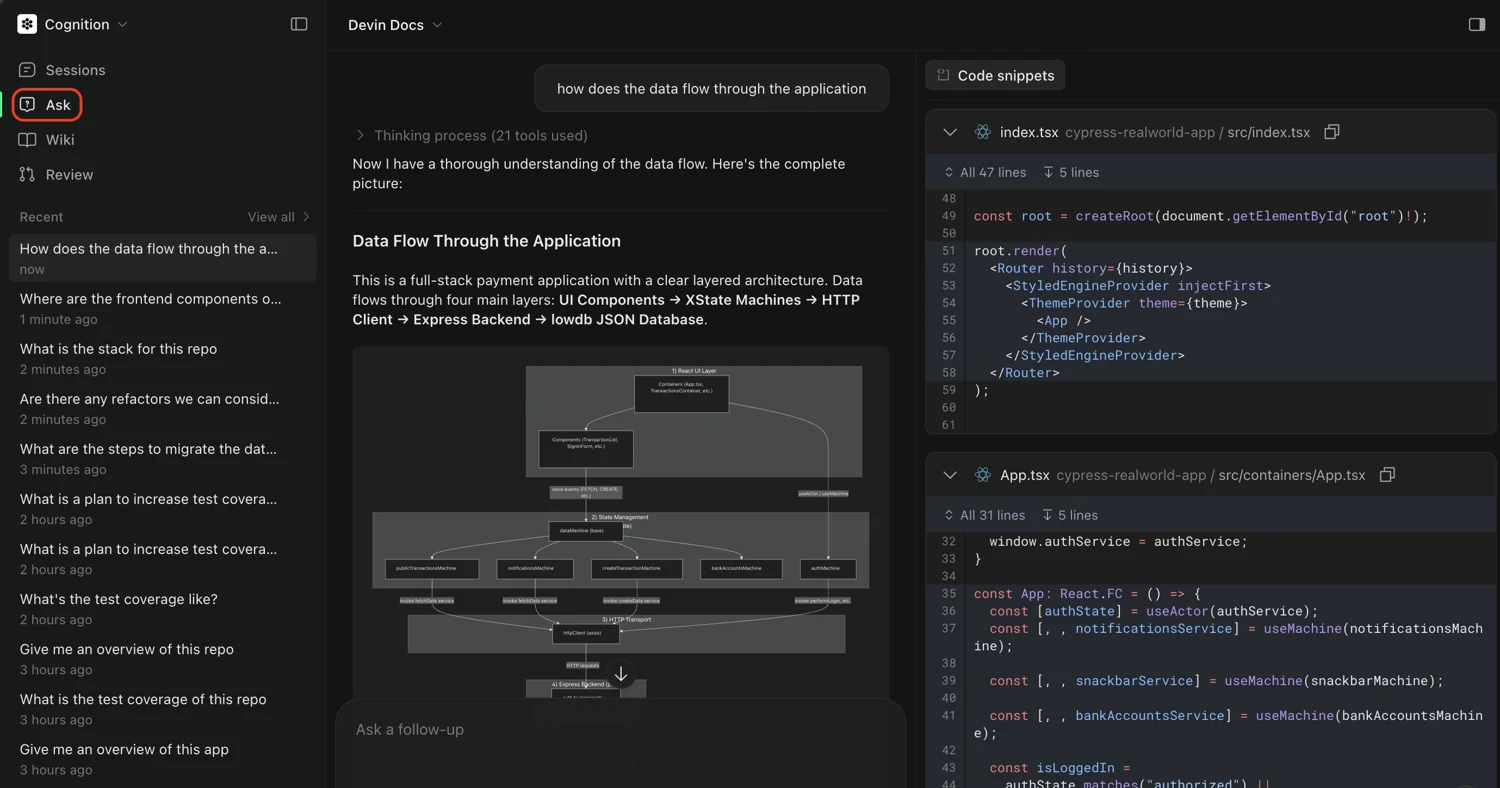
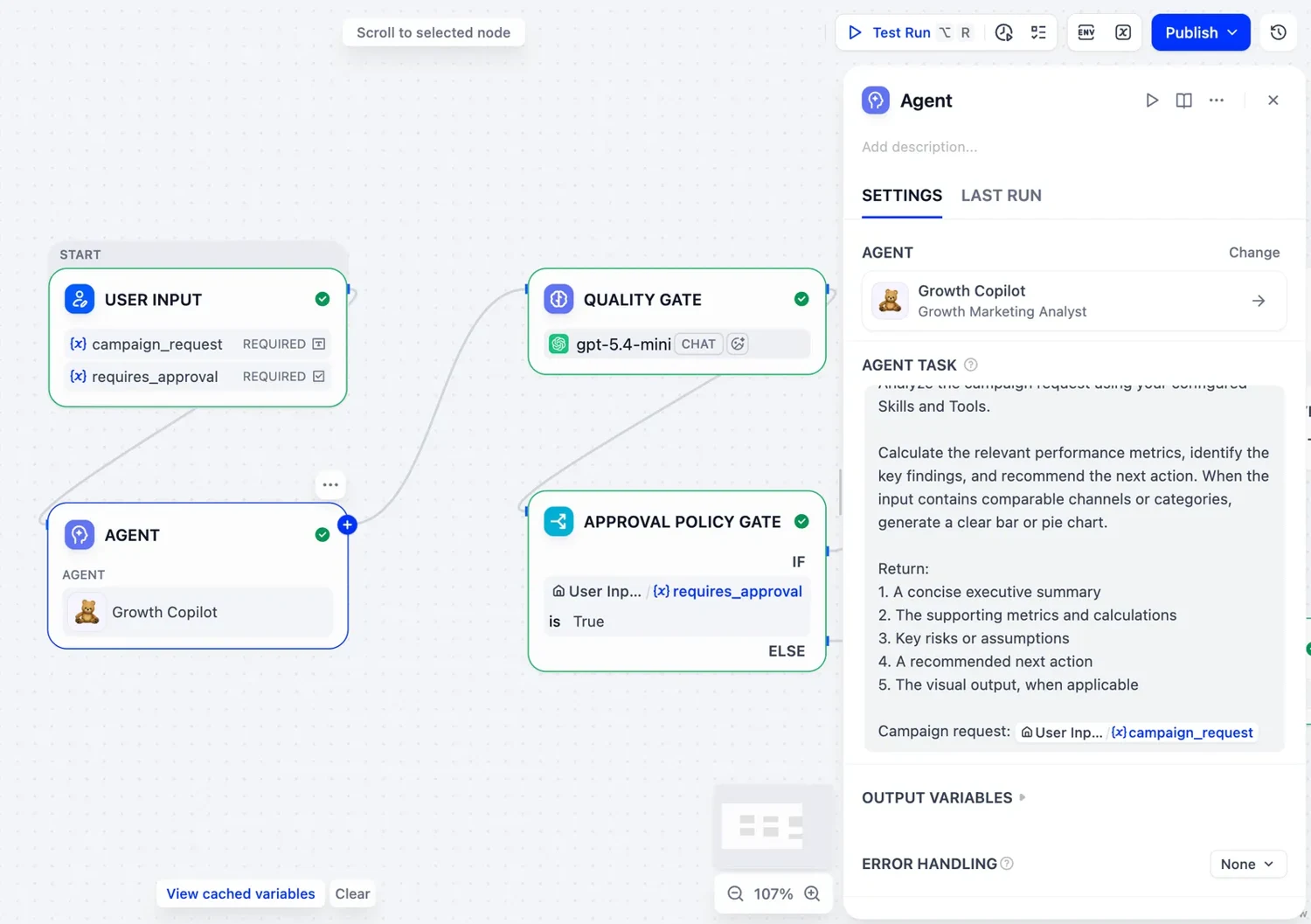
n8n can wait for a person before an agent action continues, and Dify workflows can include human input at any stage.
- 02
Tool and app reach
Zapier connects agents to app actions through Zapier MCP, while Cline and Dify add outside tools through MCP.
- 03
Run history
n8n and Zapier show what each step received and produced, and Dify keeps logs for every node.
- 04
Where it runs
n8n can be self-hosted with Docker, and Devin works in a cloud environment or on your own machine.
- 05
Model choice
Cline takes API keys or local Ollama and LM Studio models; Dify installs providers such as OpenAI, Anthropic and Google Gemini.
- 06
Reviewable output
Devin and GitHub Copilot return a patch with test or validation results, ready to open as a pull request.
Which AI agent fits your work
IT administrators
Automate account provisioning across workplace apps.
n8nSupport operations specialists
Route incoming tickets between service tools without manual copying.
ZapierRepository maintainers
Delegate dependency updates and review the resulting pull requests.
DevinClient-service operators
Build a portal around requests and project records.
TaskadeHow does an AI agent work?
Devin, n8n and GitHub Copilot each work through a task in these three steps.
- 01
Set goal
InputA task described in plain words, plus a repository or toolsOutputA running agent session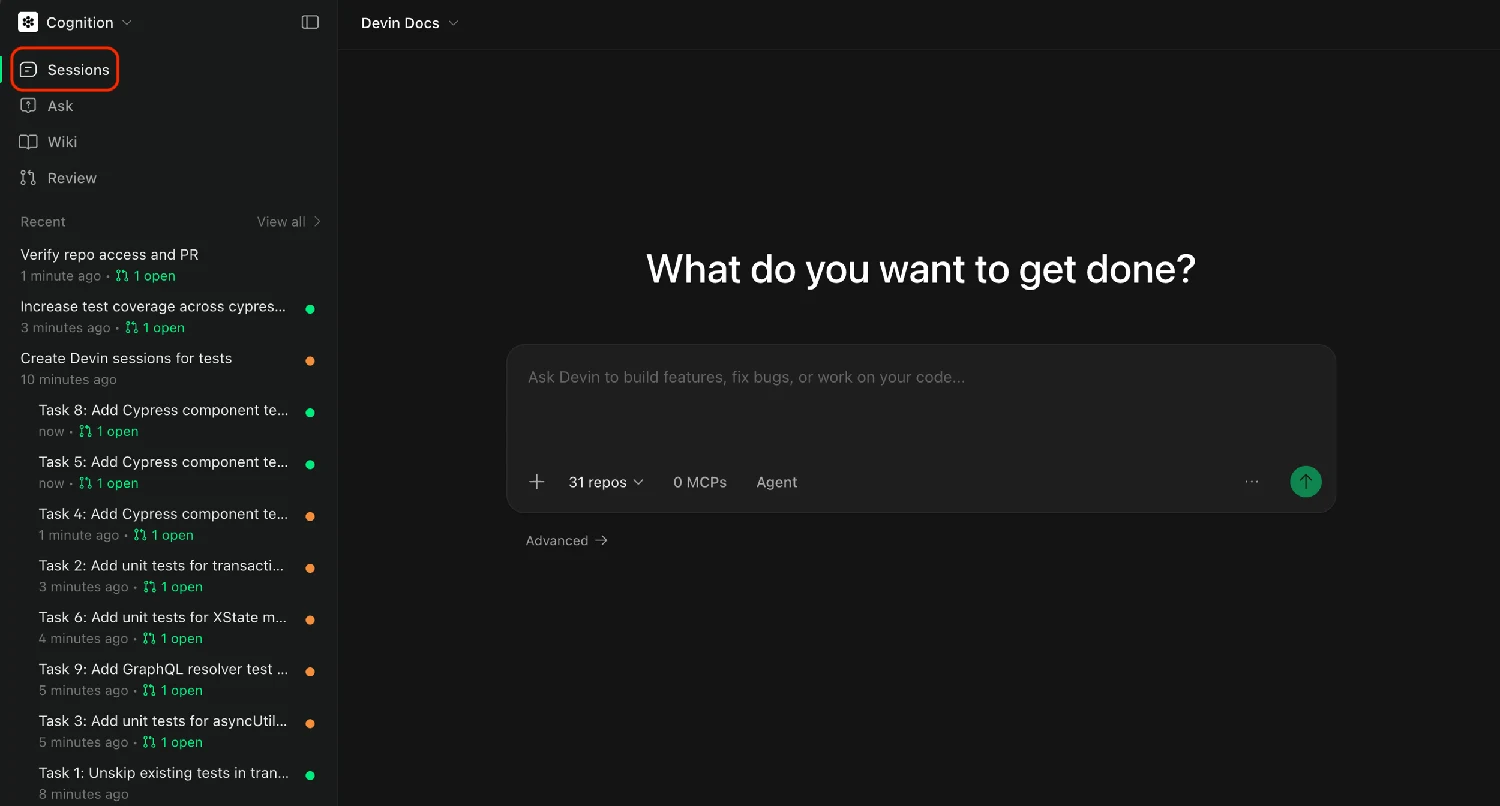 A task prompt with repo and tool pickers in Devin
- 02
Act
InputThe goal and the connected toolsOutputTool calls, then a final answer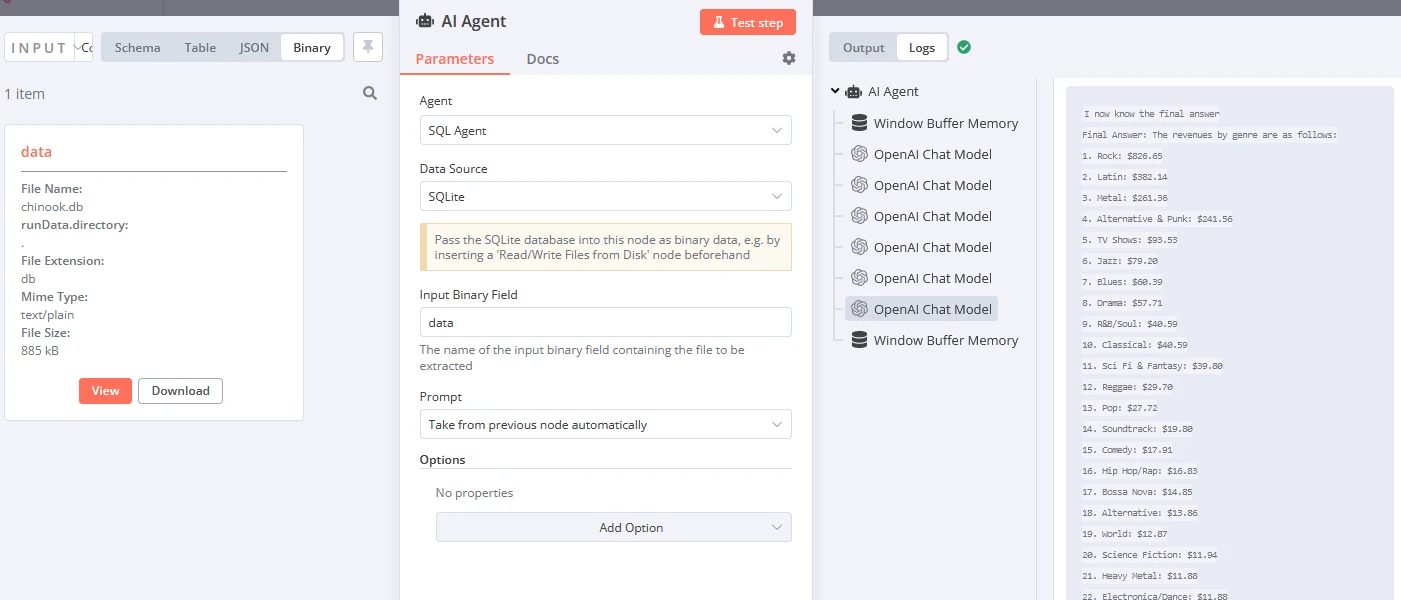 An AI Agent node and its run log in n8n
- 03
Review
InputThe edits and any test resultsOutputChanges to keep, revise or merge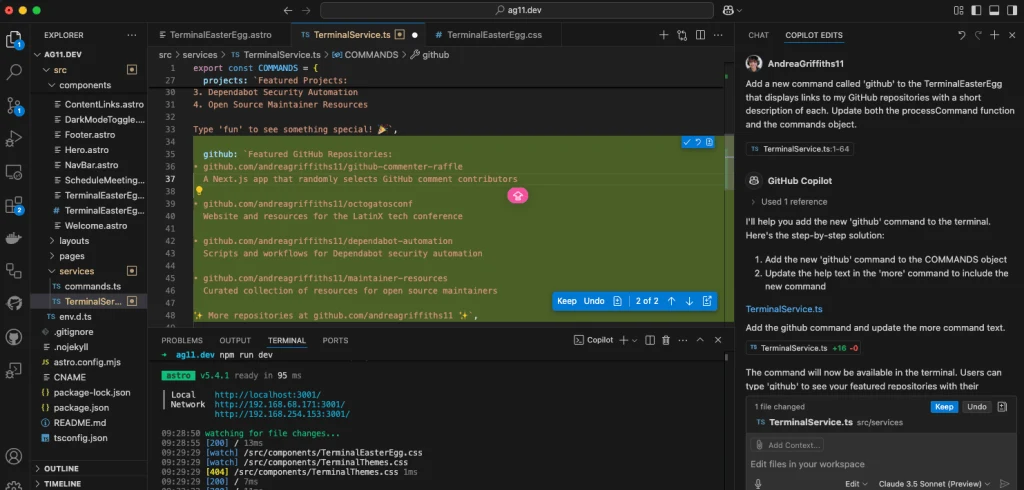 Generated edits to keep or undo in GitHub Copilot
Frequently asked questions
Are there free AI agents?
Yes. 8 listed AI agents offer a free plan, including Devin, Zapier, Make. Use the Pricing filter to compare free, freemium, and paid options.
Which AI agents have an iOS app?
Taskade has an iOS app. Use the Platform filter to check other platforms.
How are these tools ranked?
Recommended order shows matching Pro listings first, then Basic, then free and editorial listings. Listings within each group are ordered by publication date. You can also sort by newest or by name.