
Devin
Delegate repository changes and engineering maintenance to coding agents
What is Devin?
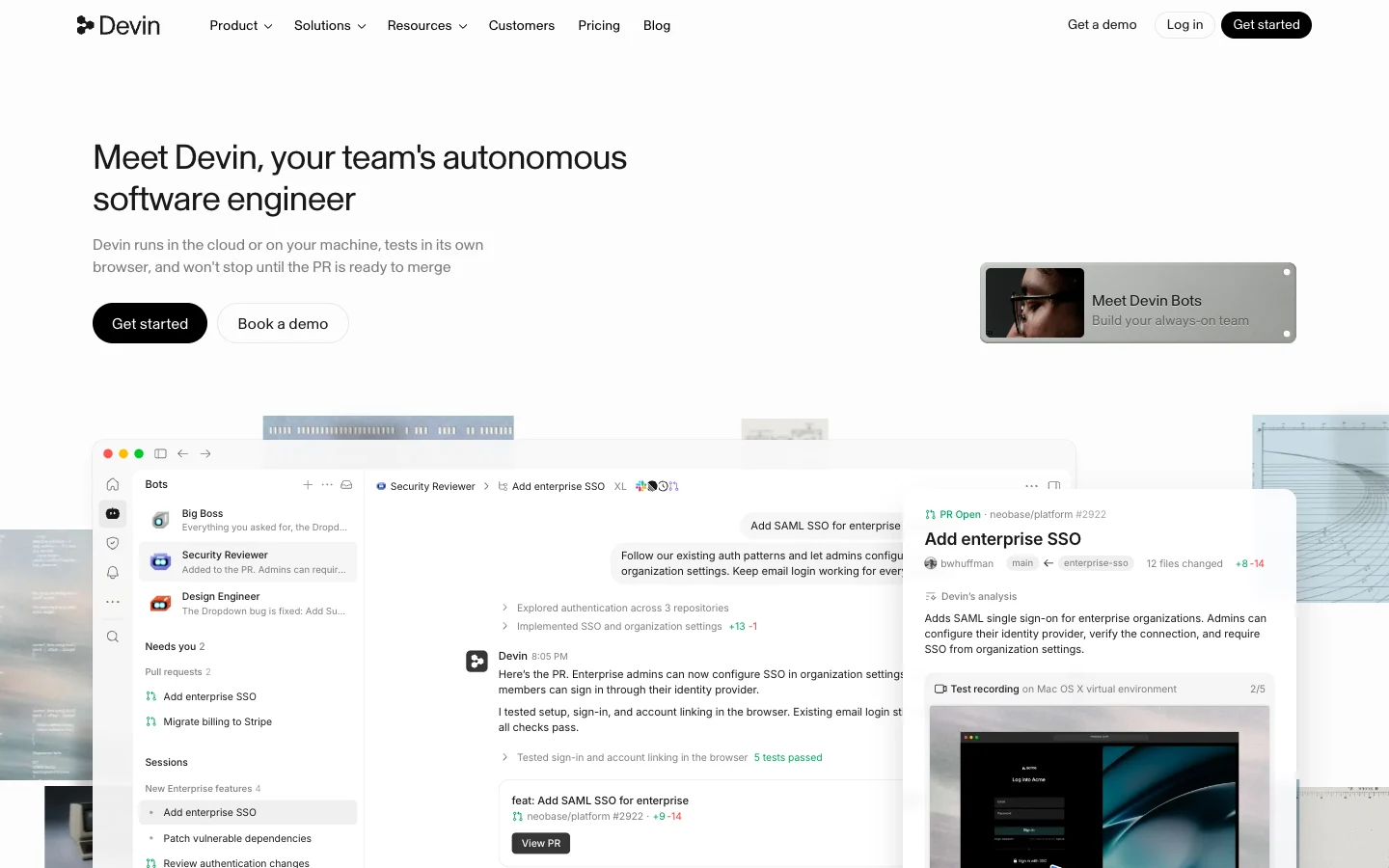
Devin is Cognition’s AI software engineer, a coding agent that investigates repositories, implements changes and prepares pull requests. Developers can delegate a scoped task while staying involved through questions, implementation review and follow-up requests.
Investigate a repository and scope the task
Ask mode searches the codebase and answers questions with references. Use it to understand how a feature works or plan a change before implementation. A discussion can become an Agent task, with relevant files, repository knowledge and reusable skills supplying the context needed to work on the actual project.
Hand over an implementation
Agent mode edits code, executes commands and runs tests. Devin can work in a cloud environment or on your machine and use its browser to check the result. A concrete request can therefore progress from investigation through a proposed implementation, with you able to provide further direction during the task.
Revise the change through repository review
A source-control connection lets Devin return its work as a proposed repository change. Review the patch and its test results, then request corrections through the associated discussion. Supported repository comments can reach the task so review feedback informs the next revision. Chat integrations provide another entry point when the team's request begins outside the repository interface.
What can Devin do?
- 01
Implement repository tasks
Investigate a feature request, bug or maintenance change
- 02
Test in a browser
Exercise the application in the agent environment
- 03
Review pull requests
Look for defects and vulnerabilities in proposed changes
- 04
Explore a codebase wiki
Inspect explanations of architecture and project structure
- 05
Automate maintenance
Trigger work for dependency updates or failed checks
How do I get started with Devin?
- 1
Prepare a repository
Connect source control, then index and configure the repository in Devin before starting a session
- 2
Plan the task
Choose Ask on the main page, select the repository and describe the change or question
- 3
Start implementation
Use Construct a Devin Prompt, then Send to Devin to begin Agent execution
- 4
Follow the result
Monitor session status in the Ask conversation and review the code changes and pull request produced for the selected repository
What does Devin work with?
- GitHub
- GitLab
- Bitbucket
- Azure DevOps
- Slack
- Microsoft Teams
- Jira
- Linear
- PagerDuty
- Pylon
- GitHub
- GitLab
- Bitbucket
- GitHub
- GitLab
- Bitbucket
Who is Devin for?
- Repository maintainers
Delegate implementation, fixes and dependency updates with reviewable results
How much does Devin cost?
- Free plan · Limited agent use and models, with unlimited inline edits and tab completions.
What are Devin's limitations?
GitHub setup
Creating or managing the organization integration requires GitHub organization administrator access
GitLab comment triggers
/devin starts work only on open merge requests; the commenter needs a linked account and permission to start Devin sessions
Devin FAQ
How is Devin Desktop related to Windsurf?
Devin Desktop replaces the Windsurf name while retaining its IDE and adding tools for managing agents.
Will updating from Windsurf remove my settings?
No. Existing settings, extensions, workflows, and work in progress carry over with the update.
More tools like Devin
 GitHub Copilot
Implement and review repository work across editor and agent sessions
 Zapier
Automate handoffs between business apps, forms and AI tools
 Make
Map app integrations and AI agents on a visual automation canvas
 n8n
Connect apps, APIs and AI agents with visual automation
 Taskade
Build business apps backed by project data, AI agents and automation
 CodeRabbit
Review code changes and prioritize the pull requests that need attention
 D-ID
Create digital presenters for scripted videos and live conversations
 Dify
Build AI applications from visible logic, knowledge and reusable tools