Best AI Video Generators
Compare AI video generators, from avatars to text-to-video clips.
Updated Nov 26, 2026

Turn two photos into a rap duo video.

Explore image and video ideas on a live canvas

Produce presenter-led training and onboarding videos from source material

Generate, revise and score short video scenes

Generate and revise shots for filmmakers and video editors

Make presenter videos for lessons, product updates and localization

Edit social videos with captions, generated media and voice tools

Create digital presenters for scripted videos and live conversations

Make character-led explainers and refine their animated scenes

Create and localize video in a shared browser timeline

Direct video edits through conversation while retaining timeline control
Related categories
What is an AI video generator?
An AI video generator creates a new clip or presenter-led video from a script, prompt or image. Some tools here put an avatar on your script, while others generate cinematic shots from text and reference images.
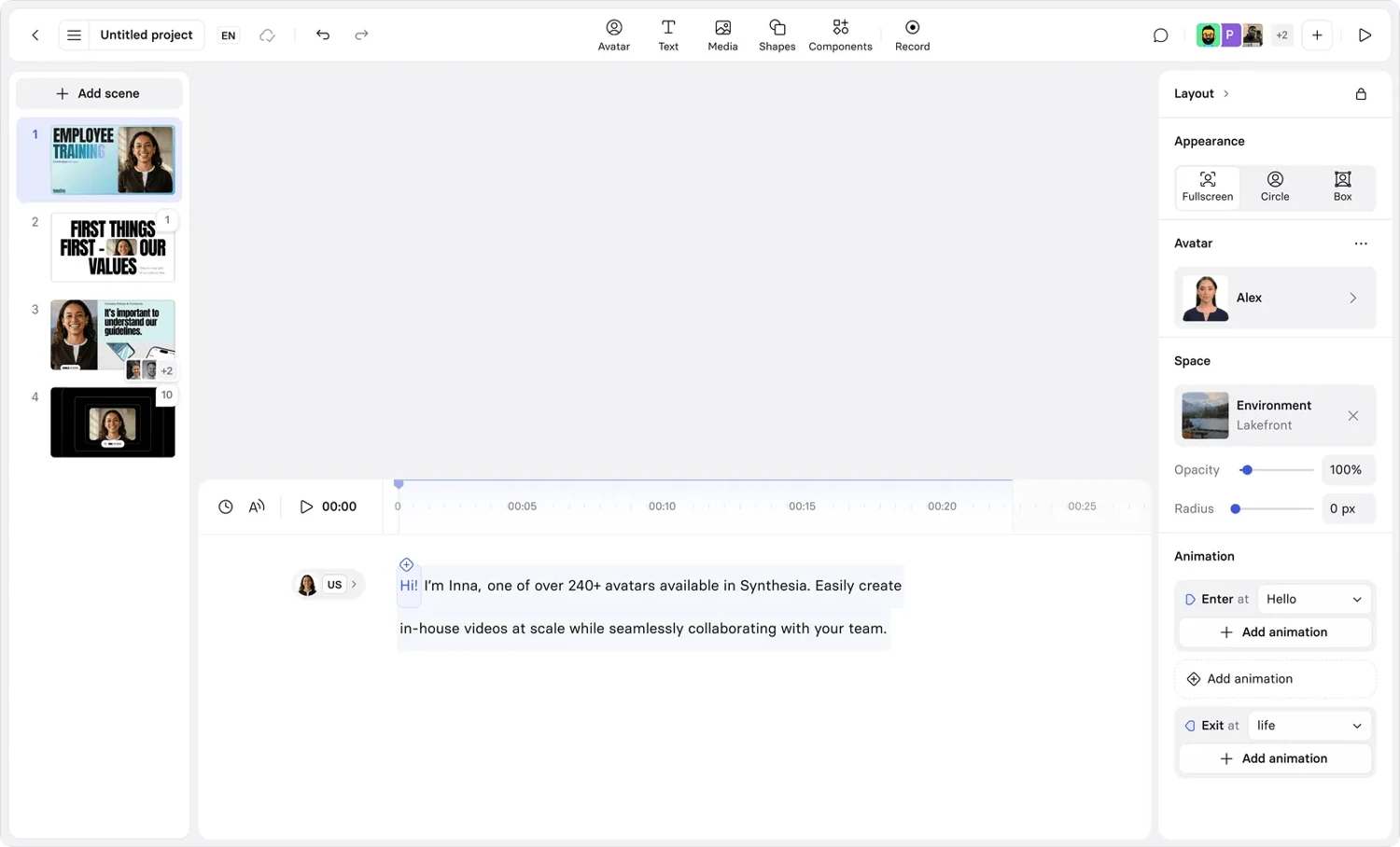
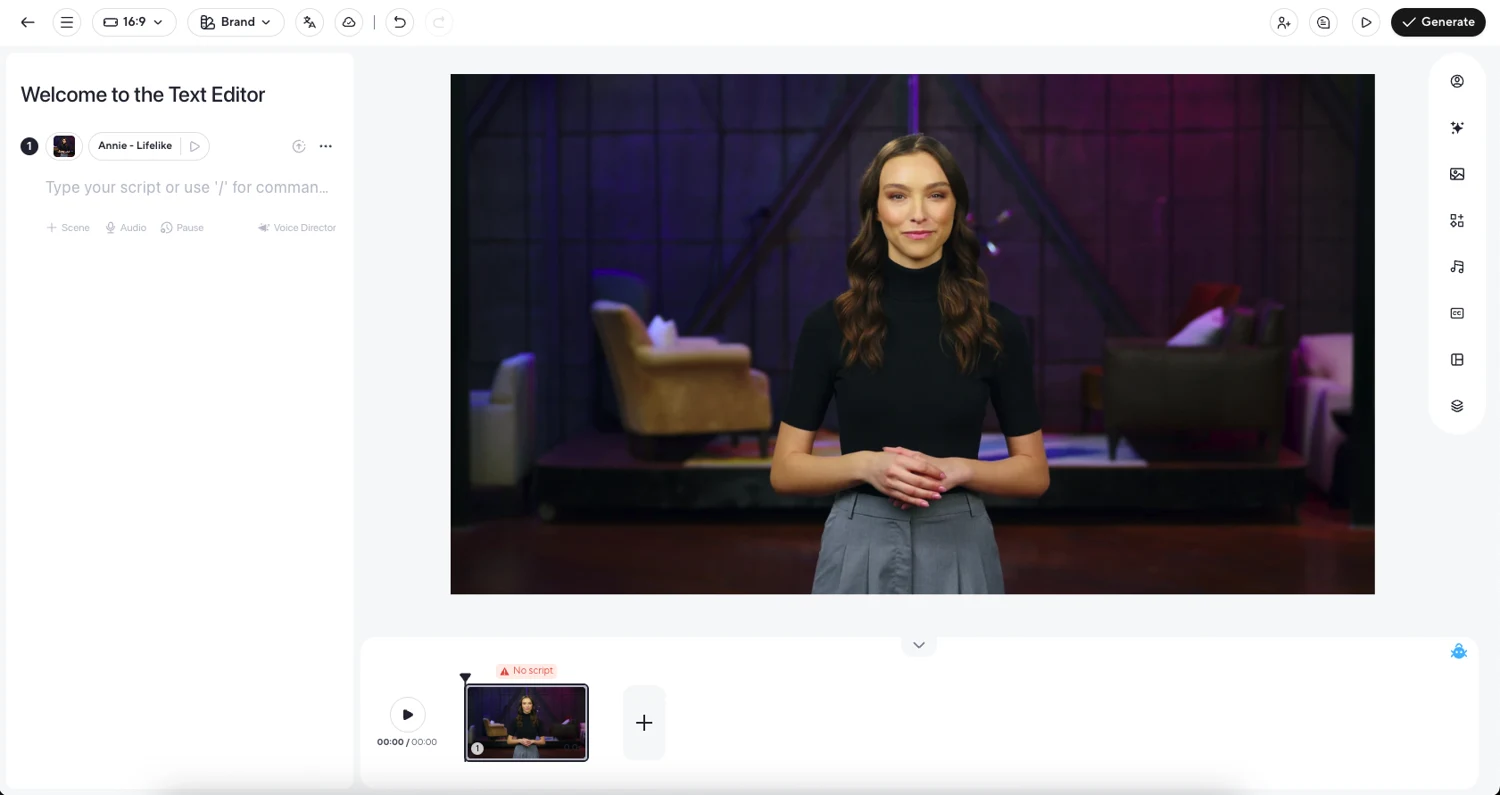
What to look for in an AI video generator
- 01
Avatar or scene
HeyGen, Synthesia and D-ID put a digital presenter on your script, while Runway and Pika generate cinematic shots from prompts.
- 02
Clip length
Runway Gen-4.5 clips run 2 to 10 seconds, Pika allows up to 30, and Pikaframes animates between two to five stills.
- 03
Translation and dubbing
HeyGen translates recorded speech with matching lip movement, and Synthesia dubs videos with glossary controls for company names and specialist terms.
- 04
Learning export
Synthesia adds quizzes and branching paths, and both it and HeyGen export SCORM only on higher plans.
- 05
Custom avatars
D-ID requires a consent statement recorded by webcam with a passcode, and HeyGen accepts a custom likeness.
- 06
Source material
Synthesia drafts scenes from PDF, PPTX and web page URLs, and HeyGen imports PPT and PDF files.
- 07
Soundtrack
Pika Soundtrack generates music and ambience from the action in a clip.
Which AI video generator fits your work
Course producers
Turn lesson scripts into presenter-led training.
HeyGenHR onboarding specialists
Keep induction videos current as company details change.
SynthesiaShort-film editors
Revise a shot and build its accompanying sound.
PikaExplainer-video producers
Turn briefs into narrated character scenes.
AnimakerHow does an AI video generator work?
Synthesia and HeyGen build from a script and an avatar, while Krea, Runway and Pika start from a text prompt or a still image.
- 01
Prompt
InputA script or text promptOutputA clip request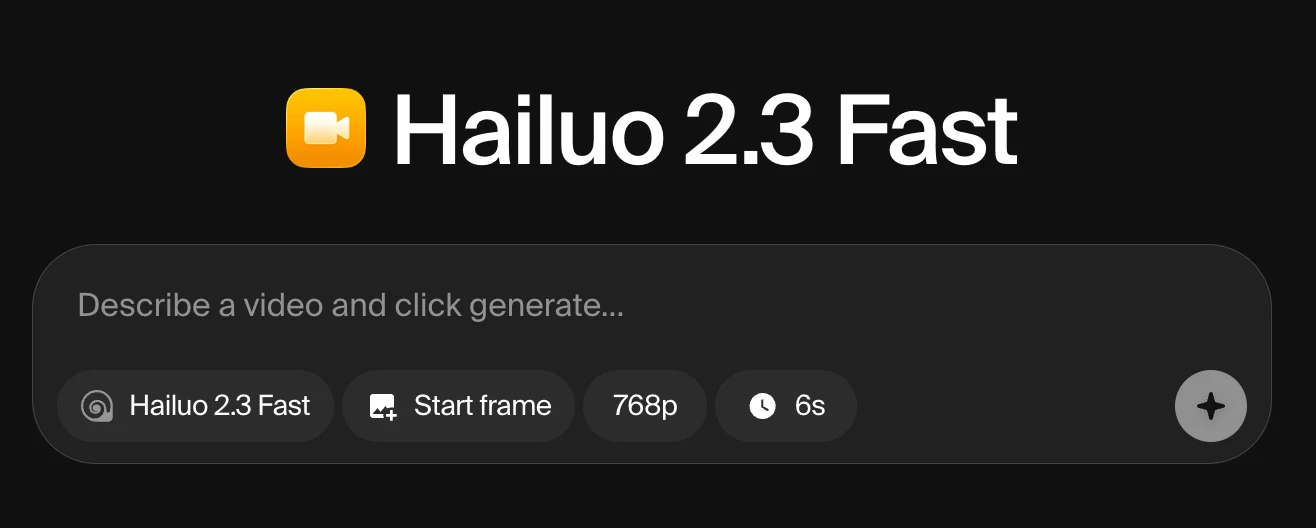 A video prompt with model, start frame and length in Krea
- 02
Set presenter
InputAn avatar, voice or start frameOutputA defined scene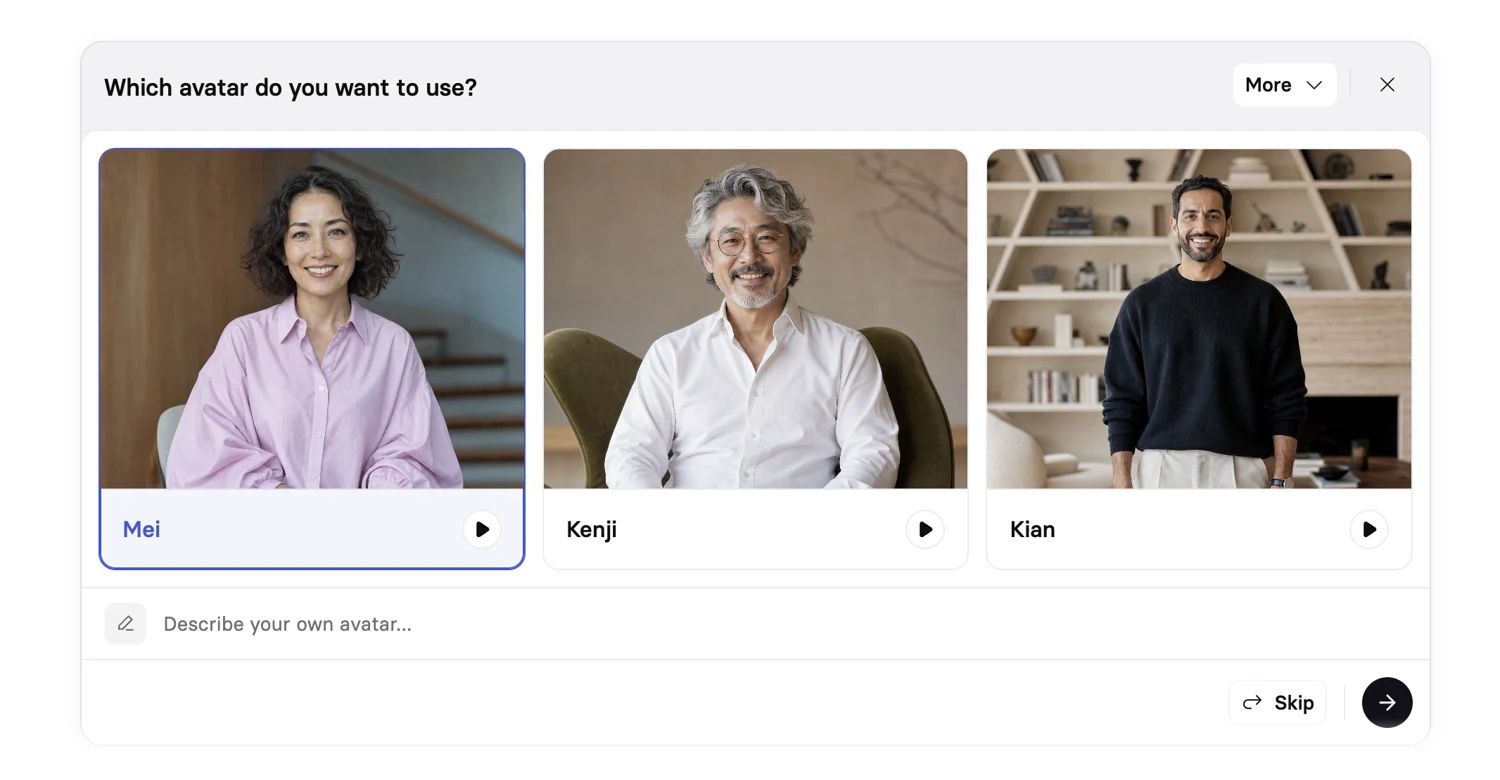 Choosing an avatar for a scene in Synthesia
- 03
Review
InputThe generated draftOutputA preview to revise or export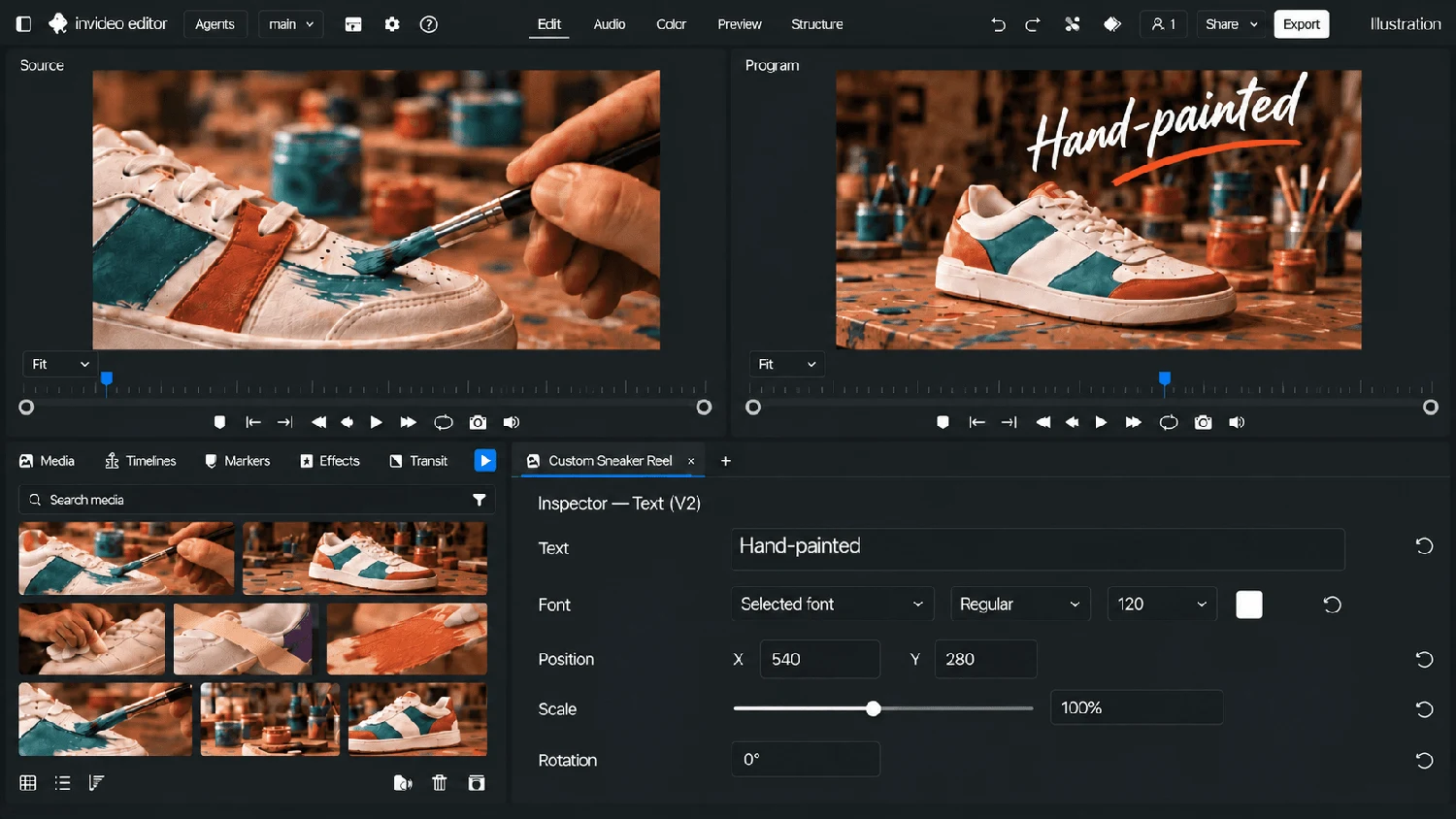 A cut with a text overlay in the preview of invideo
Frequently asked questions
Are there free AI video generators?
Yes. 9 listed AI video generators offer a free plan, including Krea, Synthesia, Pika. Use the Pricing filter to compare free, freemium, and paid options.
Which AI video generators have an iOS app?
4 have an iOS app, including Pika, Runway, CapCut. Use the Platform filter to check other platforms.
How are these tools ranked?
Recommended order shows matching Pro listings first, then Basic, then free and editorial listings. Listings within each group are ordered by publication date. You can also sort by newest or by name.