
Synthesia
Produce presenter-led training and onboarding videos from source material
What is Synthesia?
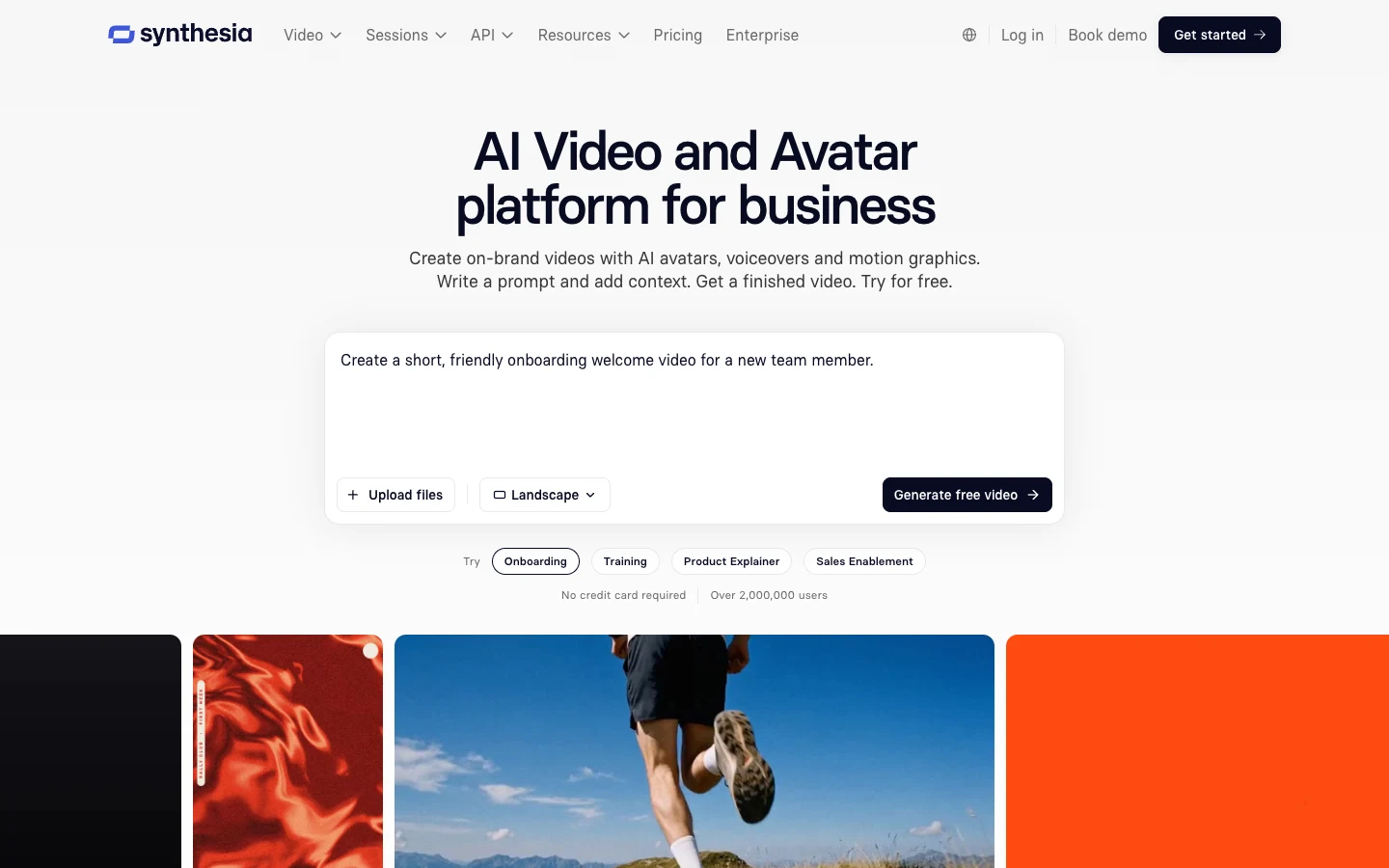
Synthesia is an AI video platform for teams making training, onboarding and other business communications. Scripts and documents become scenes narrated by virtual presenters, using stock avatars or a personal digital presenter. Assistant prepares editable outlines and scenes, while Syren offers a conversational route with a live preview.
Turn training material into narrated scenes
A topic, document or presentation supplies the content for the video. Assistant can draft an outline and scenes, while a finished script can be used directly. Choose a stock or personal avatar to deliver the explanation, then revise narration and supporting visuals together so each scene teaches one part of the subject.
Adapt lessons without filming again
When a policy or product changes, edit the words and scenes to update the video. Translation and dubbing create versions for other audiences, with glossary controls helping maintain names and specialist terminology. Brand settings keep the presentation consistent across a training library. Shared links, embeds and learning-system delivery can reflect later video updates.
Make the lesson interactive
Questions, clickable actions and branching paths let a viewer participate in the material. Interactive avatar roleplay provides a different kind of practice through conversation. A completed lesson can be distributed through a link or a learning system, and engagement information helps the team understand which videos people watch and how they interact with them.
What can Synthesia do?
- 01
Present scripts with avatars
Select stock presenters or create a personal digital presenter
- 02
Draft scenes from sources
Use documents, slides, links or prompts with the Assistant
- 03
Translate and dub videos
Adapt Synthesia or uploaded recordings with glossary controls
- 04
Add interactive lessons
Include questions, clickable actions and branching paths
- 05
Run avatar roleplay
Offer practice conversations and interview-style surveys
- 06
Export for learning systems
Publish SCORM packages alongside links and embeds
How do I get started with Synthesia?
- 1
Start Assistant
On Synthesia Home, choose Create video and describe the topic, audience and objective; add supporting files if needed
- 2
Shape the draft
Choose duration, delivery style and template, then review the outline and select Continue to editor
- 3
Refine the scenes
Use Storyboard and Assistant chat to adjust the script and visuals, then generate the video
- 4
Download the result
On the generated video, open the three-dot menu, choose Download and select the required output
What does Synthesia work with?
- PPTX
- Word document
- Web page URL
- MP3
- FLAC
- WAV
- Lottie JSON
- MP4
- WAV
- XLIFF
- SRT
- VTT
- SCORM
- ZIP
Who is Synthesia for?
- Learning designers
Turn procedures into interactive narrated lessons
- HR onboarding specialists
Maintain induction videos as company information changes
- Video localization specialists
Prepare regional versions with consistent terminology
How much does Synthesia cost?
- Free plan · 500 credits per month and 10 minutes of watermarked Studio video or dubbing.
What are Synthesia's limitations?
Assistant access
Requires Starter, Pro or Enterprise; applying a Brand Kit through Assistant requires Enterprise
PowerPoint imports
PPTX files are limited to 1 GB or 150 slides; original PowerPoint animations are not imported
Narration uploads
Enterprise only, with up to five minutes per scene; audio timing must be edited outside Synthesia
Interactive video
MP4 download is unavailable when the video contains buttons or branching; use a link, embed or SCORM
SCORM delivery
Package export requires Enterprise
Synthesia FAQ
Is consent required for a Personal Avatar?
Yes. The person represented must provide a live consent recording.
Does the free account need a credit card?
No. Basic can be used without entering card details and includes limited video, dubbing and survey allowances.
More tools like Synthesia
 HeyGen
Make presenter videos for lessons, product updates and localization
 CapCut
Edit social videos with captions, generated media and voice tools
 D-ID
Create digital presenters for scripted videos and live conversations
 Animaker
Make character-led explainers and refine their animated scenes
 Kapwing
Create and localize video in a shared browser timeline
 invideo
Direct video edits through conversation while retaining timeline control
 VEED
Edit and caption videos in the browser for publication
 Descript
Edit spoken audio and video by working with the transcript