Best AI Transcription Tools
Compare AI transcription tools for speakers, languages and exports.
Updated Nov 24, 2026

Edit and caption videos in the browser for publication
Turn recorded conversations into searchable notes and follow-up material

Edit spoken audio and video by working with the transcript

Turn meetings and interviews into searchable notes and transcripts

Transcribe conversations and turn their findings into working documents

Turn customer calls into notes, CRM follow-up and coaching material
Analyze meeting collections for customer feedback and sales coaching
Related categories
What is an AI transcription tool?
An AI transcription tool converts speech from a call, interview or recording into searchable, speaker-labelled text. The tools here record live, take uploaded audio and video, or build the transcript into an editor.
What to look for in an AI transcription tool
- 01
File limits
Otter.ai imports files up to 5 GB, Fireflies.ai audio up to 500 MB or 150 minutes, and tl;dv videos up to three hours.
- 02
Speaker labels
Otter.ai labels each speaker as it transcribes, while tl;dv gives uploaded recordings numbered speaker labels only, with no recognition.
- 03
Two languages
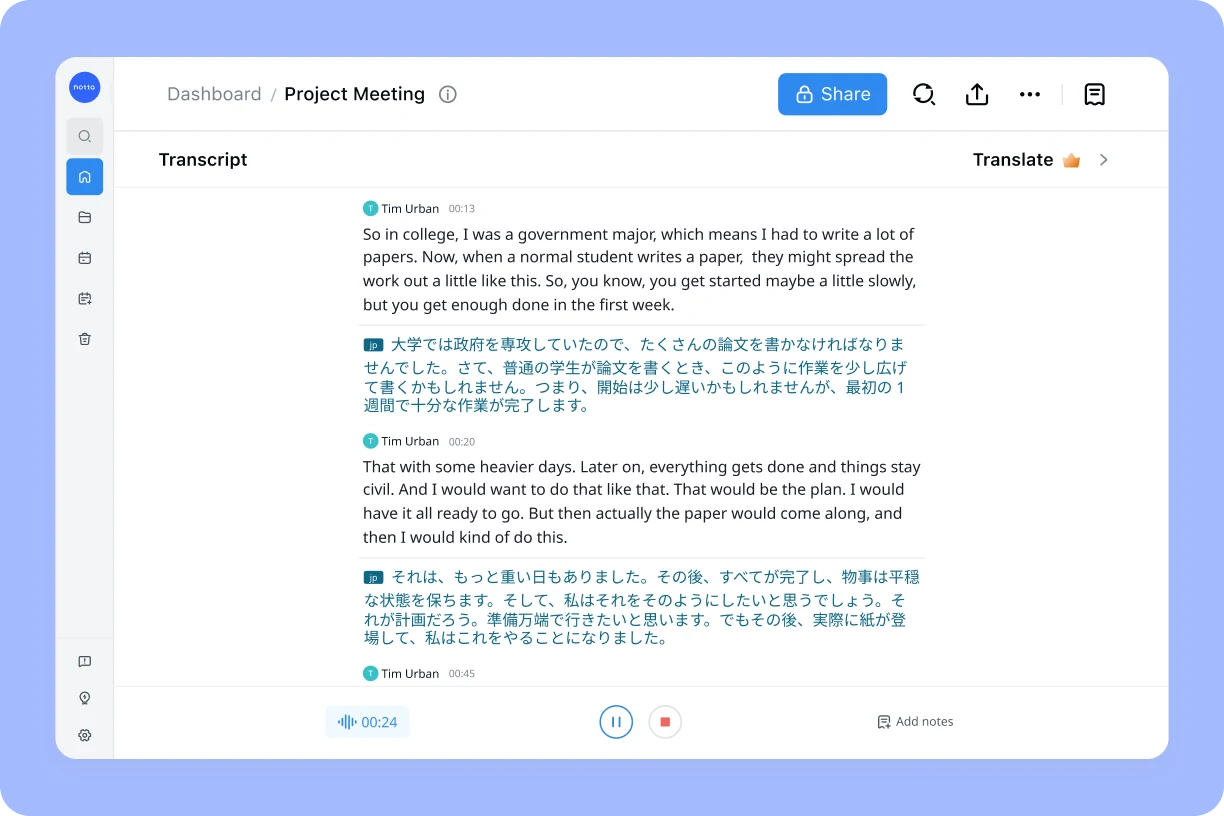
Notta transcribes a two-language discussion with the translation shown side by side, and VEED translates subtitles and dubs the result.
- 04
Text-based editing
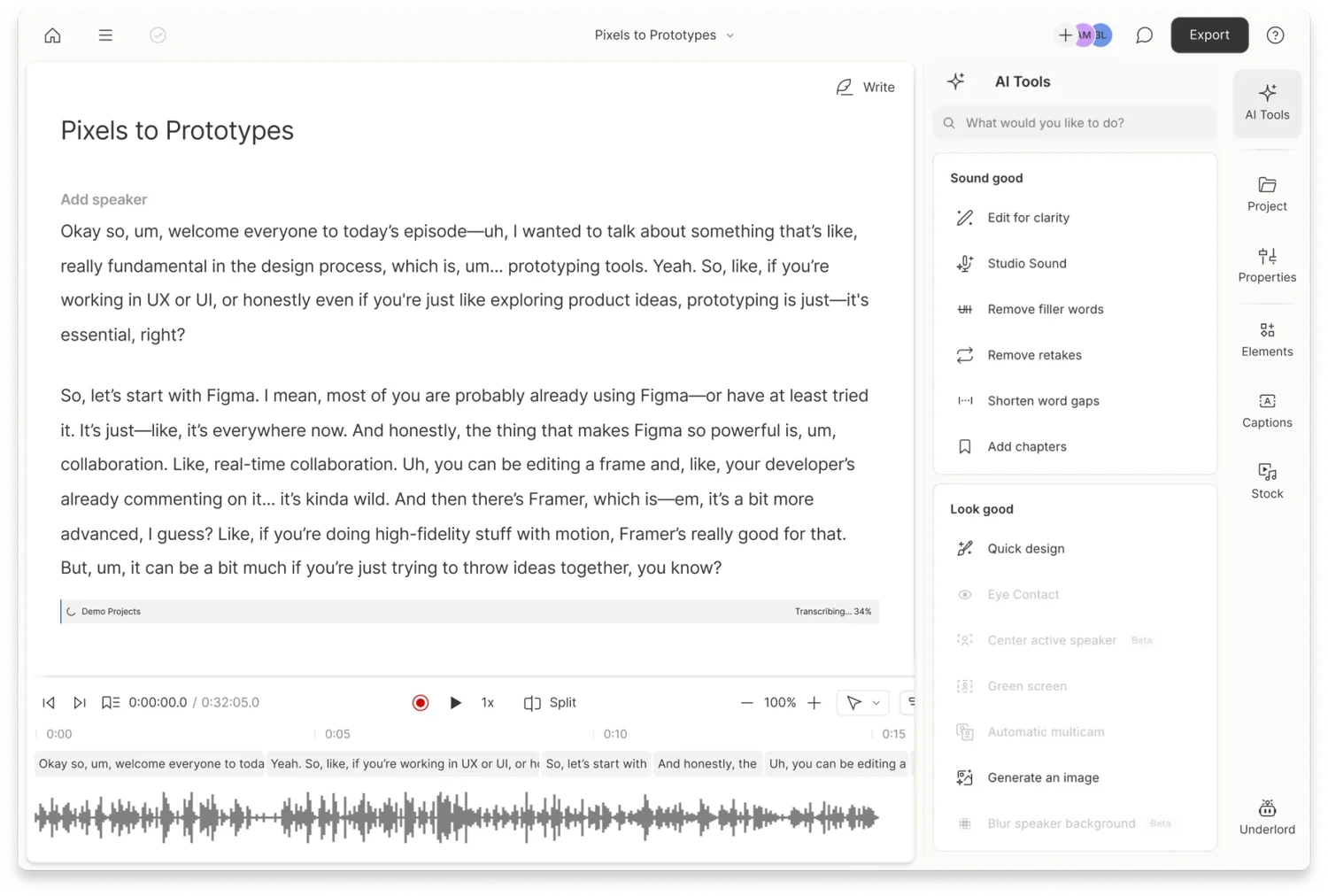
Descript edits the recording through its transcript, and removes filler words and repeated takes.
- 05
No-bot capture
Otter.ai and Notta record desktop audio on Mac and Windows, and Fireflies.ai records Google Meet through a Chrome extension.
- 06
Questions about recordings
Fireflies.ai answers questions through AskFred, and Notta Brain draws on your records plus up to three attached files per upload.
- 07
Export formats
Otter.ai exports TXT, DOCX, PDF and SRT, Fireflies.ai adds CSV and JSON, and Notta adds XLSX.
Which AI transcription tool fits your work
Interview reporters
Find quotable passages in recorded conversations.
Otter.aiQualitative researchers
Compare themes across recorded interviews.
Fireflies.aiInterview podcasters
Cut long conversations into episodes and excerpts.
DescriptClient consultants
Turn a client discussion into a brief or presentation.
NottaHow does an AI transcription tool work?
Notta, Fireflies.ai and Descript each cover part of the path from first recording to a corrected, speaker-labelled transcript.
- 01
Capture
InputA live recording, meeting link or uploaded fileOutputAudio or video in the tool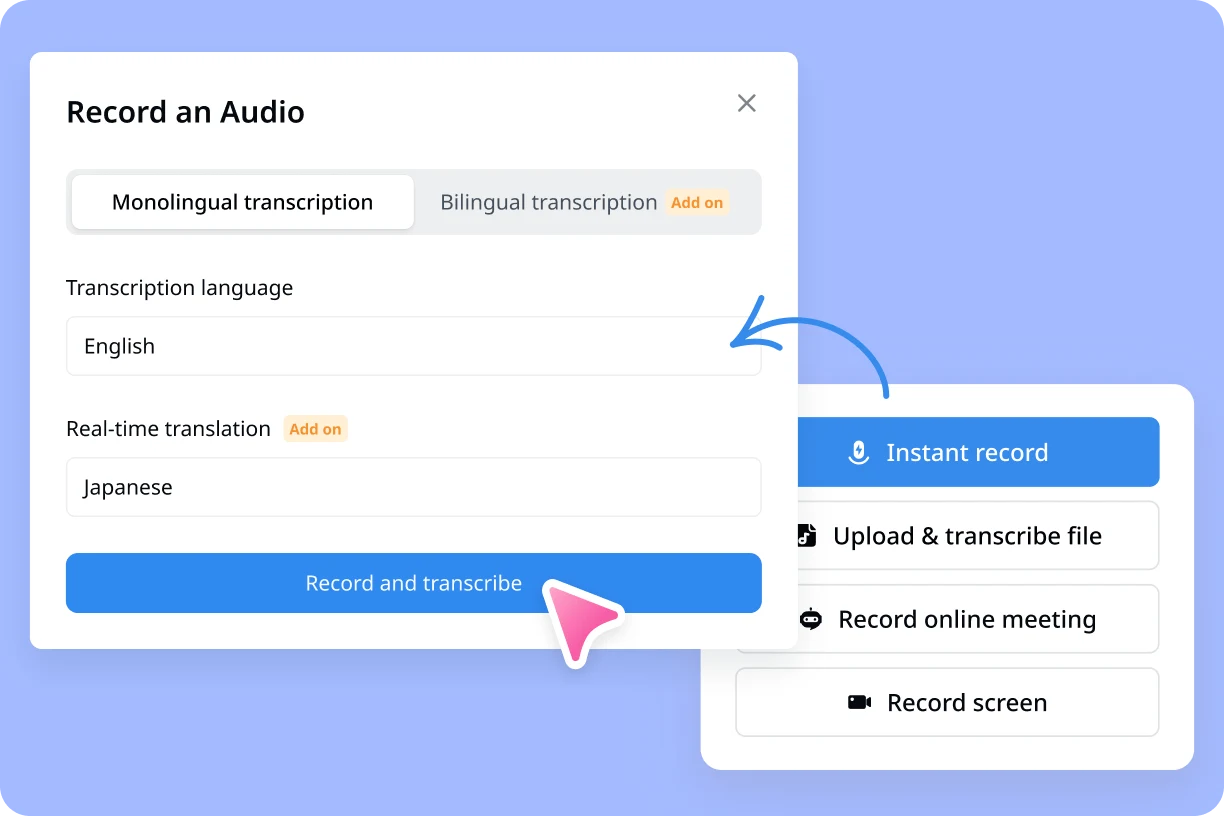 Language and recording mode choices in Notta
- 02
Read
InputThe recordingOutputLive text with speakers and timestamps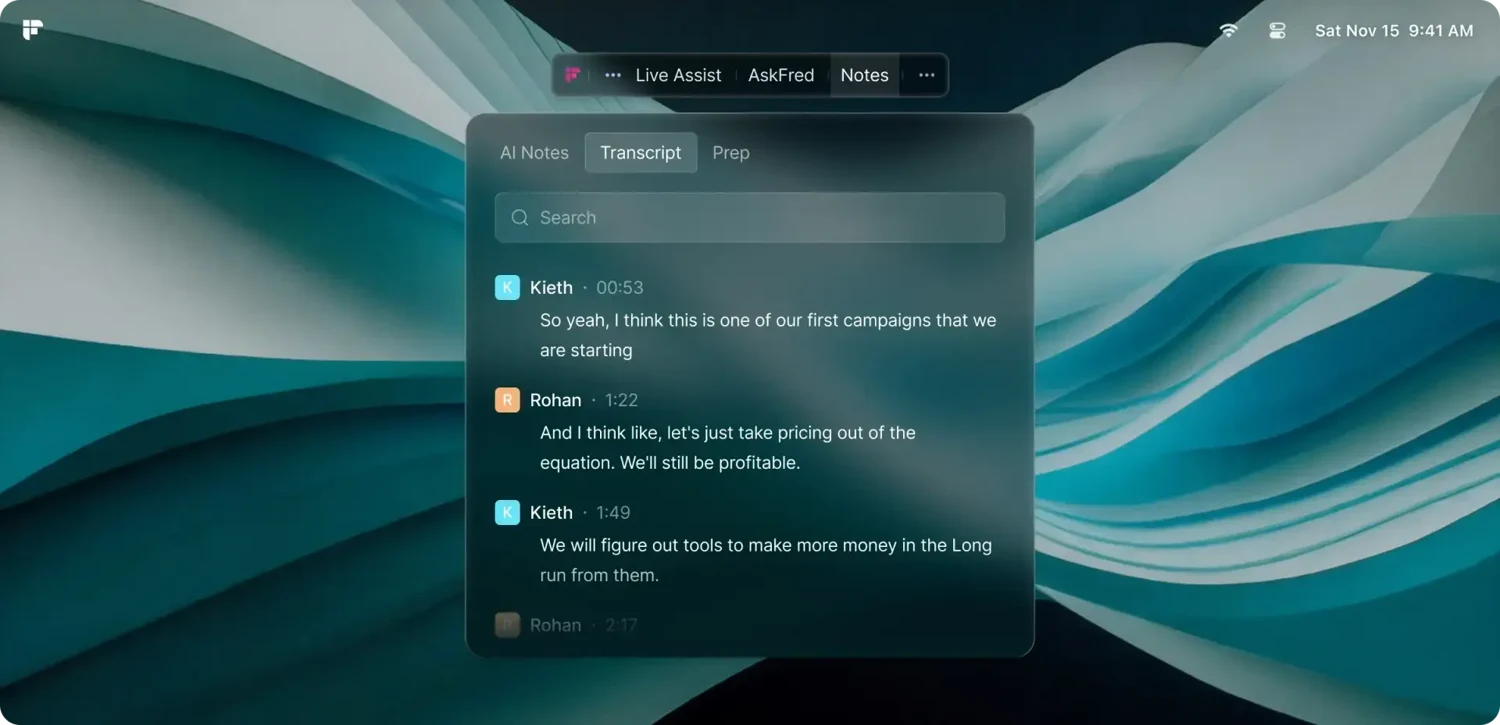 A searchable transcript with speaker names in Fireflies.ai
- 03
Check
InputThe draft transcript and footageOutputCorrected speakers and wording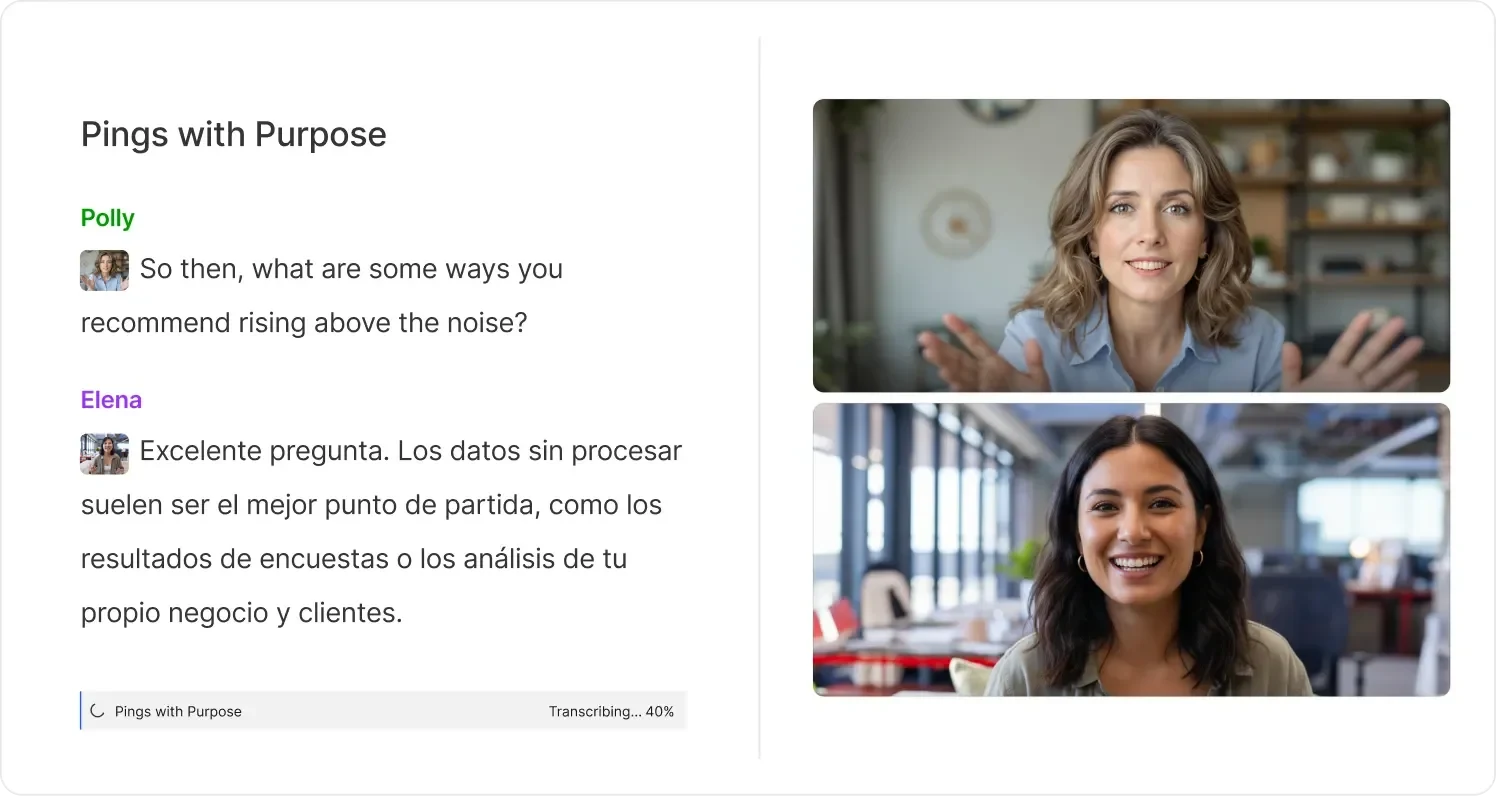 Speaker names beside the footage in Descript
Frequently asked questions
Are there free AI transcription tools?
Yes. 7 listed AI transcription tools offer a free plan, including VEED, Fireflies.ai, Descript. Use the Pricing filter to compare free, freemium, and paid options.
Which AI transcription tools have an iOS app?
5 have an iOS app, including Fireflies.ai, Otter.ai, Notta. Use the Platform filter to check other platforms.
How are these tools ranked?
Recommended order shows matching Pro listings first, then Basic, then free and editorial listings. Listings within each group are ordered by publication date. You can also sort by newest or by name.