Best AI Meeting Assistants
Compare AI meeting assistants that join calls and track follow-ups.
Updated Nov 24, 2026

Turn recorded conversations into searchable notes and follow-up material

Turn meetings and interviews into searchable notes and transcripts

Transcribe conversations and turn their findings into working documents

Turn customer calls into notes, CRM follow-up and coaching material
Analyze meeting collections for customer feedback and sales coaching

Reduce call noise and keep meeting notes without a participant bot
Related categories
What is an AI meeting assistant?
An AI meeting assistant records a call and turns the conversation into a transcript, summary and action items. The tools here join Zoom, Google Meet or Teams, or record from your computer without a bot, then let you search and ask about past meetings.
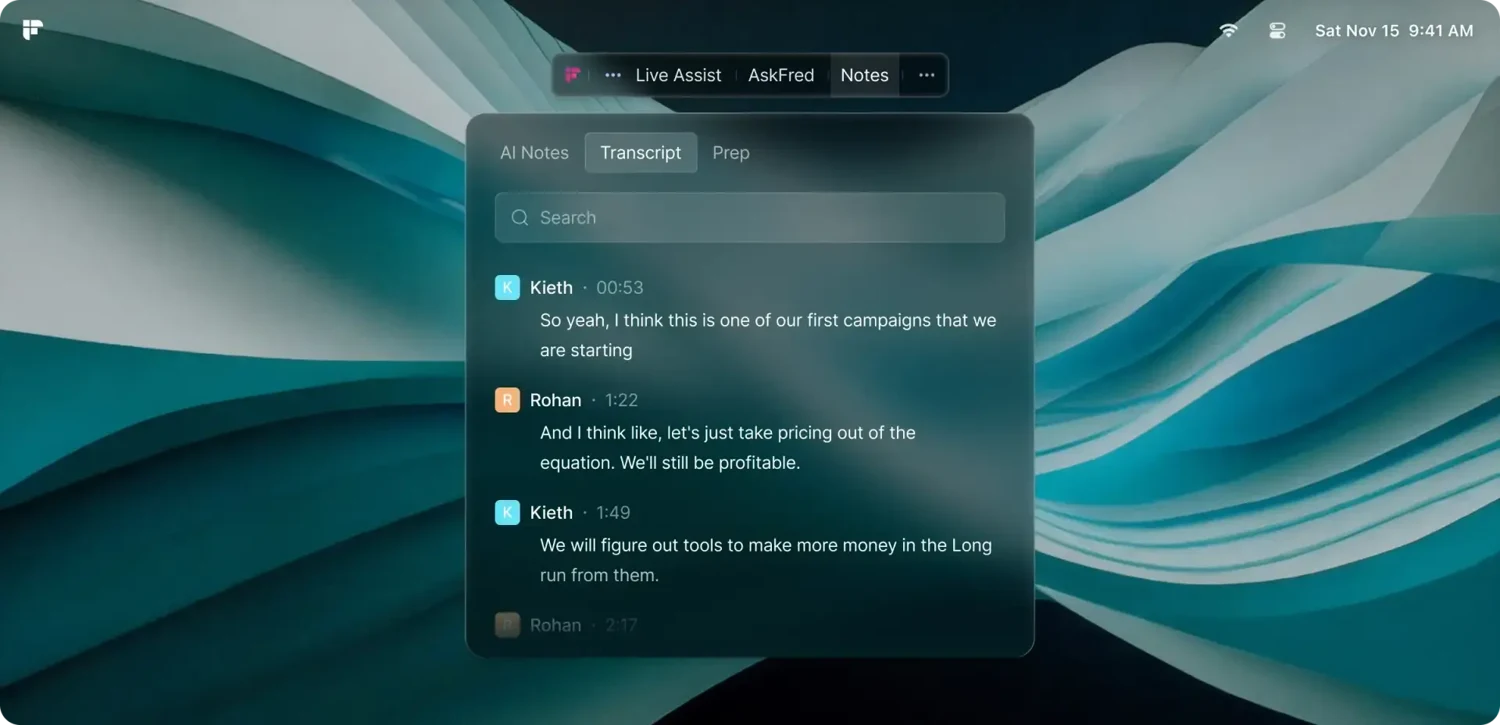 A speaker-labelled transcript in Fireflies.ai
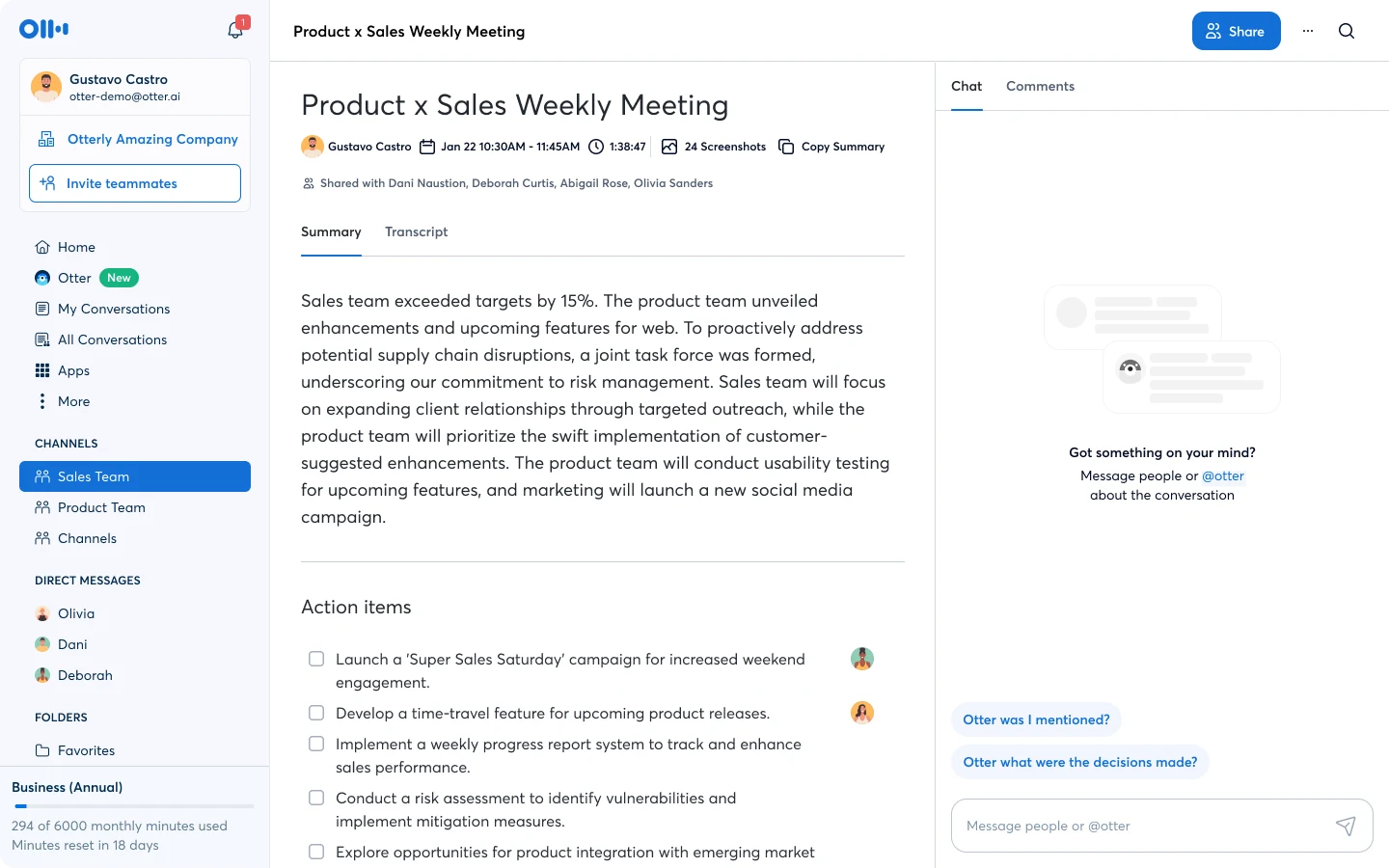 A meeting summary with action items in Otter.ai
What to look for in an AI meeting assistant
- 01
Bot-free recording
Krisp, tl;dv and Otter.ai can record from your computer, so no extra participant joins the call.
- 02
Calendar auto-join
Link a calendar and choose which meetings the notetaker attends on its own.
- 03
Speakers and languages
Otter.ai labels each speaker; Fireflies transcribes more than 100 languages and Notta shows translations side by side.
- 04
Questions across meetings
AskFred, Ask Fathom and Notta Brain answer questions from your whole meeting history.
- 05
CRM and task sync
Send notes and next steps to HubSpot or Salesforce, or turn action items into Asana or Jira tasks.
- 06
Uploads and in-person calls
Transcribe older recordings, or record a face-to-face meeting with the phone app.
- 07
Your own vocabulary
Krisp learns company names and acronyms, and Fathom follows your summary instructions.
- 08
Export on free plans
Fireflies and tl;dv downloads need a paid plan; Otter.ai’s free plan exports TXT only.
Which AI meeting assistant fits your work
Account executives
Get customer-call notes and next steps into the CRM.
FathomInterview recruiters
Share selected candidate answers with hiring managers.
Fireflies.aiStudents and note-takers
Revisit lecture transcripts while preparing study notes.
Otter.aiRemote call participants
Cut background noise on calls and still keep the decisions.
KrispHow does an AI meeting assistant work?
Once a calendar is linked, Fireflies, Otter.ai and Fathom can run these steps for every scheduled call.
- 01
Record
InputA Zoom, Google Meet or Teams callOutputAn audio or video recording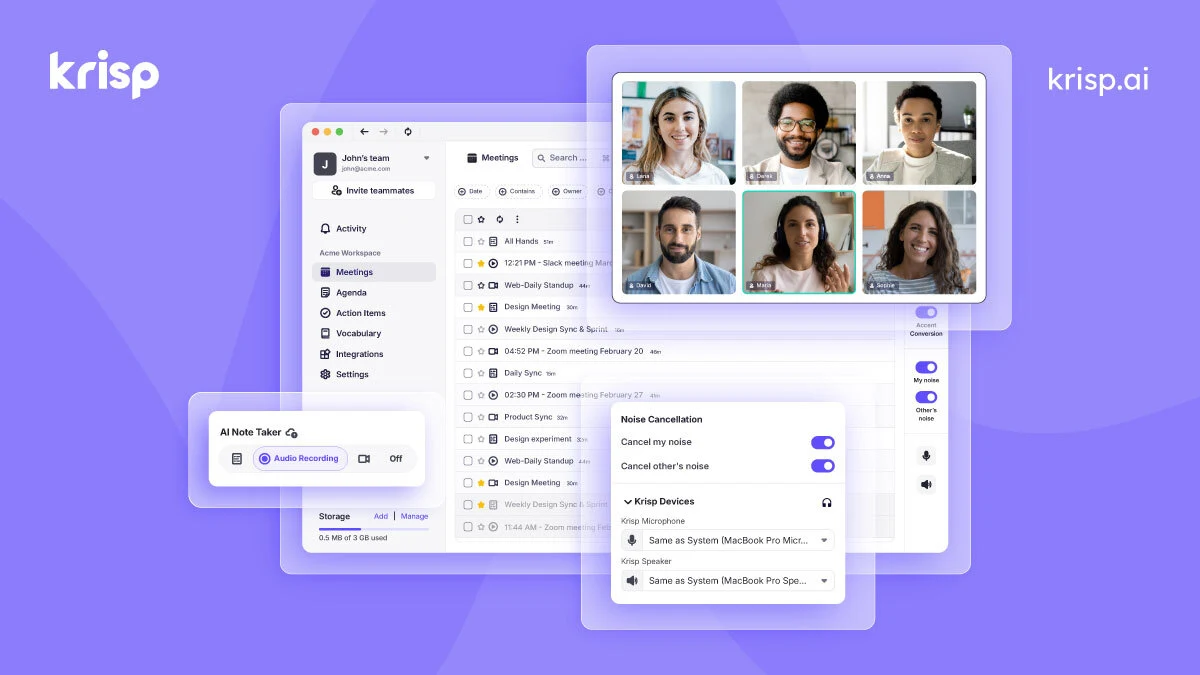 Note Taker modes in Krisp
- 02
Transcribe
InputThe recording, or a file you uploadOutputText with speaker names and timestamps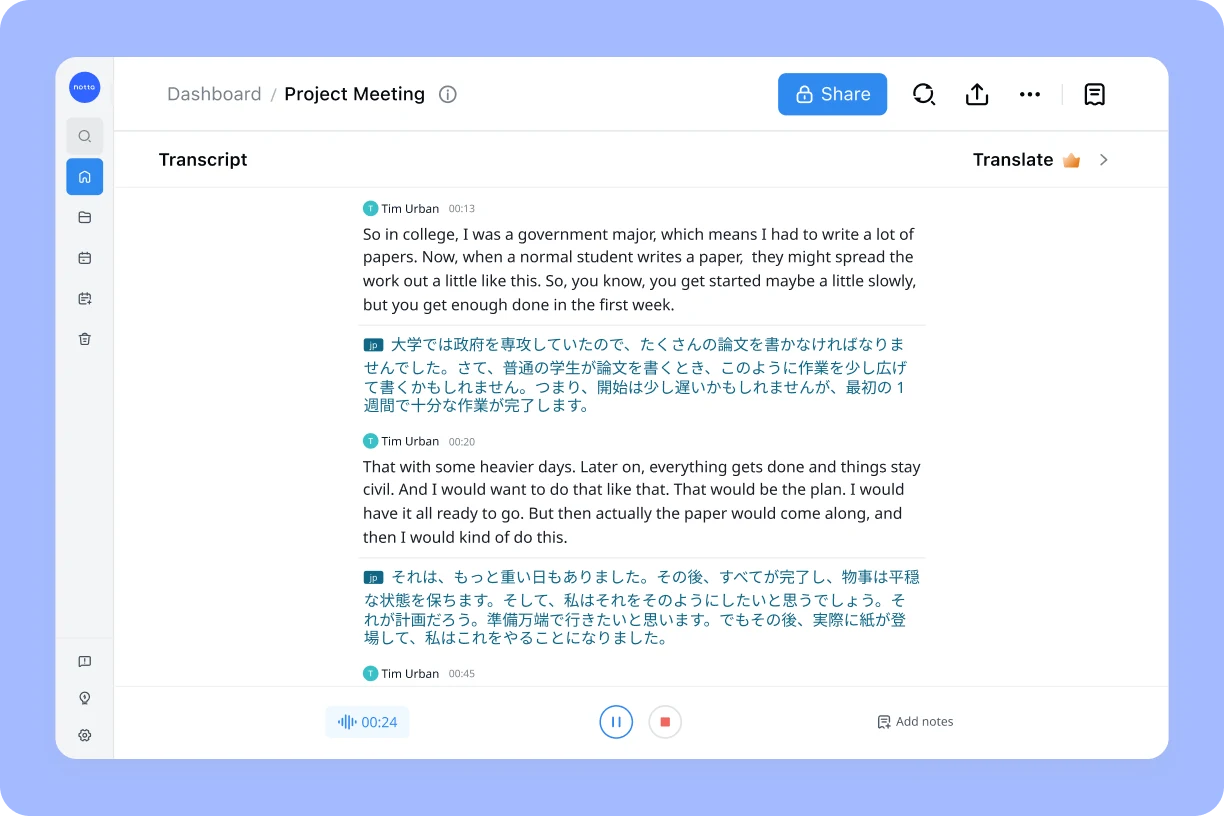 A translated transcript in Notta
- 03
Summarize
InputThe full transcriptOutputA summary, decisions and action items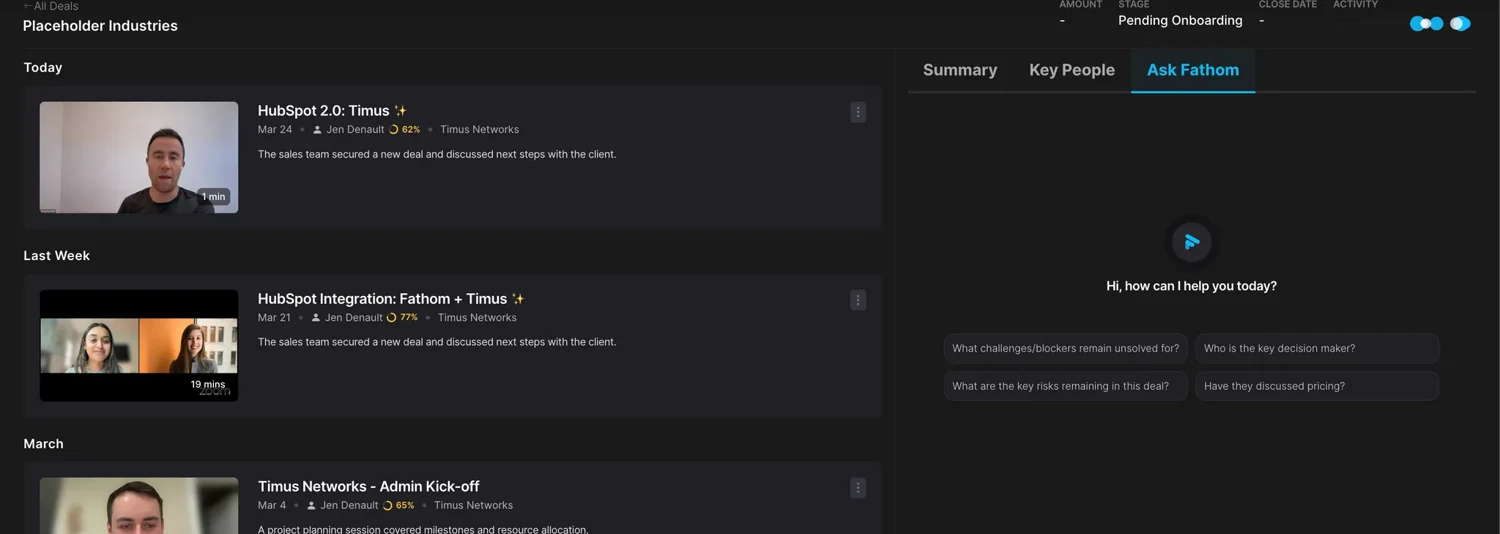 Call summaries in Fathom
- 04
Follow up
InputYour meeting historyOutputAnswers, CRM notes and scheduled reports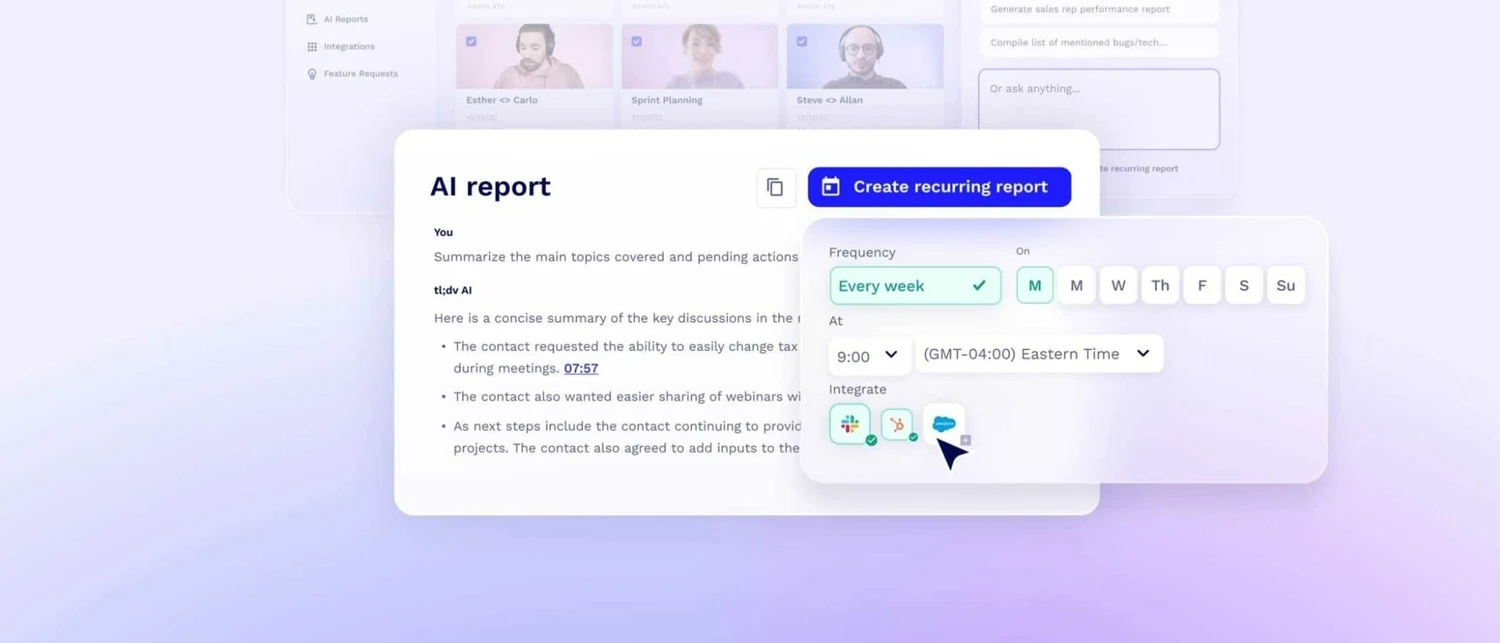 A weekly AI report in tl;dv
Frequently asked questions
Are there free AI meeting assistants?
Yes. 5 listed AI meeting assistants offer a free plan, including Fireflies.ai, Otter.ai, Notta. Use the Pricing filter to compare free, freemium, and paid options.
Which AI meeting assistants have an iOS app?
6 have an iOS app, including Fireflies.ai, Otter.ai, Notta. Use the Platform filter to check other platforms.
How are these tools ranked?
Recommended order shows matching Pro listings first, then Basic, then free and editorial listings. Listings within each group are ordered by publication date. You can also sort by newest or by name.