Best AI Workflow Automation
Compare AI automation tools for app integrations and multi-step runs.
Updated Nov 24, 2026

Read pages, extract web data and automate browser tasks

Collect and qualify web-sourced lead lists for sales operations

Automate handoffs between business apps, forms and AI tools

Map app integrations and AI agents on a visual automation canvas

Connect apps, APIs and AI agents with visual automation

Build business apps backed by project data, AI agents and automation

Build collaborative documents that also run trackers and business processes

Build AI applications from visible logic, knowledge and reusable tools

Create marketing campaigns using company knowledge and brand guidance
Related categories
What is AI workflow automation?
AI workflow automation runs a chain of app actions whenever an event or schedule fires, producing finished records, messages and drafts without manual copying. The tools here connect apps on a canvas or in the browser, with AI steps that summarize, write and decide.
What to look for in AI workflow automation
- 01
Visual editor
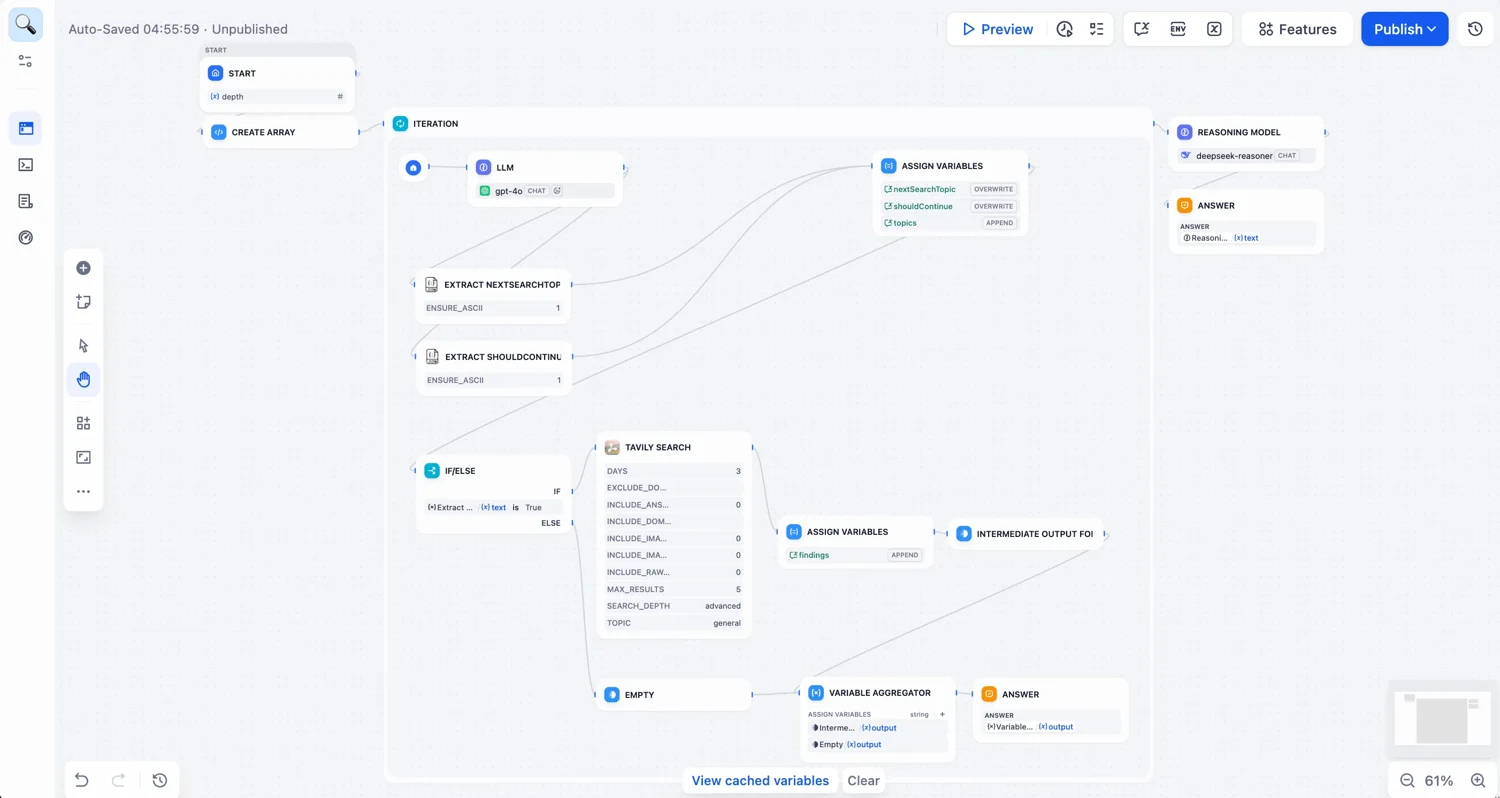
Make and n8n build flows from connected modules or nodes, and Dify passes variables between canvas nodes.
- 02
Custom code
n8n runs JavaScript or Python inside a flow, and Make accepts both for specialized processing.
- 03
Branching and filters
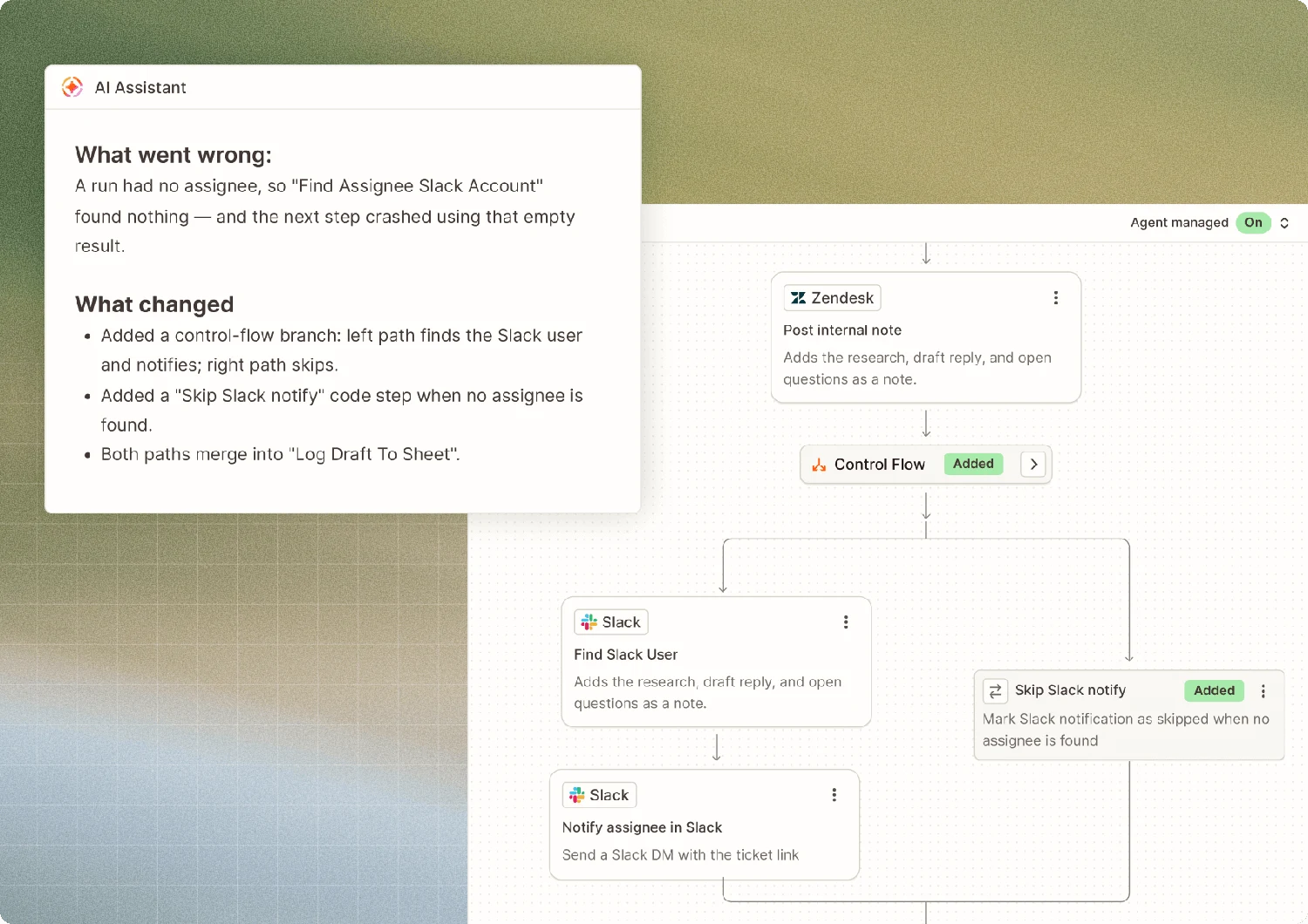
Zapier filters and Paths split runs by condition, though Paths needs a Pro plan or higher.
- 04
Run history
n8n shows each step’s inputs and outputs, Zapier keeps a Zap History, and Dify node logs show where a stage failed.
- 05
Human approval
n8n pauses an agent action until a person approves it, and Dify flows can include human input.
- 06
Browser automation
HARPA AI monitors page changes and product availability; Bardeen scrapes pages into Sheets, Airtable or Notion.
- 07
Bulk content runs
Jasper Grid runs prompts across up to 1,000 CSV rows, and Superhuman Docs AI columns fill a table from one instruction.
Which AI workflow automation fits your work
Revenue operations specialists
Move form leads into the CRM and follow-up steps.
ZapierIT administrators
Automate account provisioning across workplace apps.
n8nSales prospecting analysts
Build enriched account lists before outreach.
BardeenCampaign content editors
Generate channel-specific copy for a whole product list.
JasperHow does AI workflow automation work?
Zapier, Make and n8n all follow this order, from a trigger to a scheduled, published automation.
- 01
Trigger
InputA new row, form entry or scheduleOutputData for the first step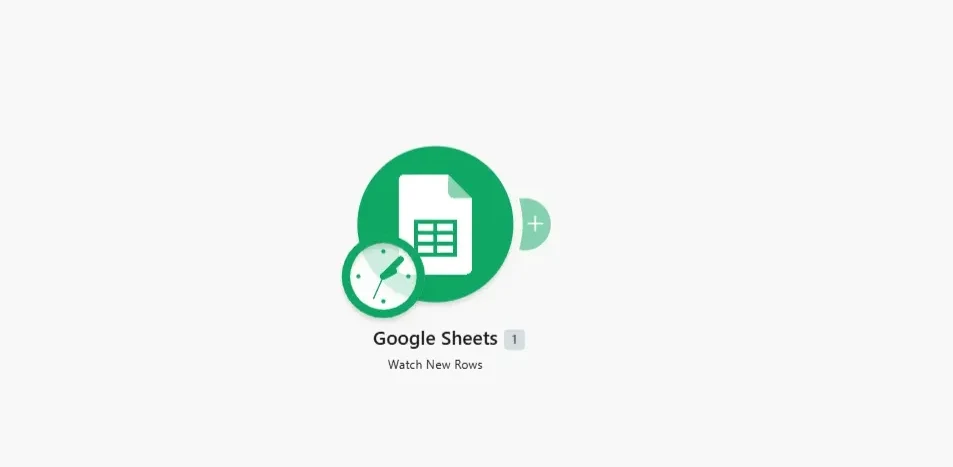 A Google Sheets Watch New Rows trigger in Make
- 02
Map
InputValues from earlier stepsOutputFormatted text for the next step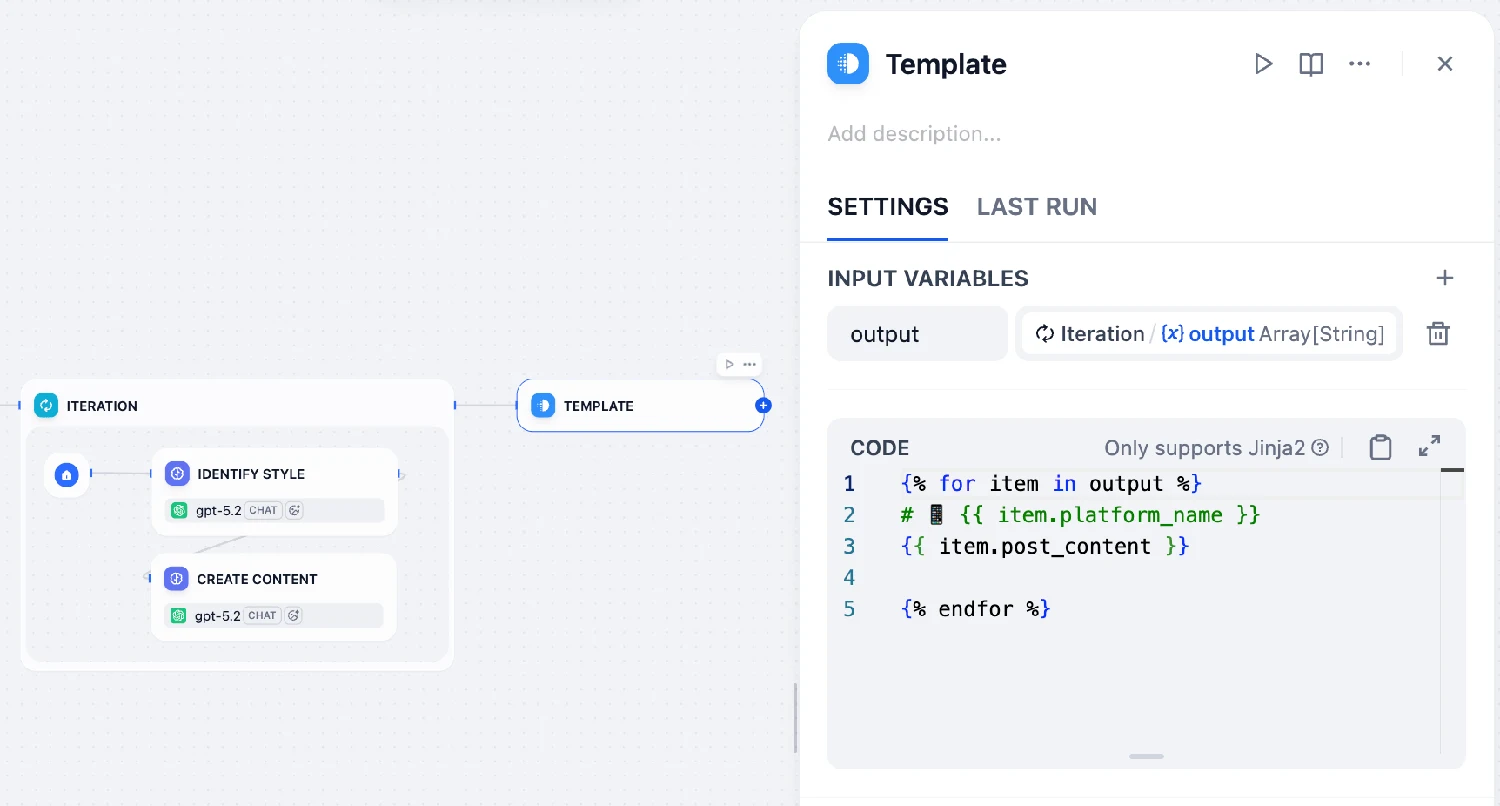 A Template node mapping an iteration’s output in Dify
- 03
Test
InputSample dataOutputStep-by-step results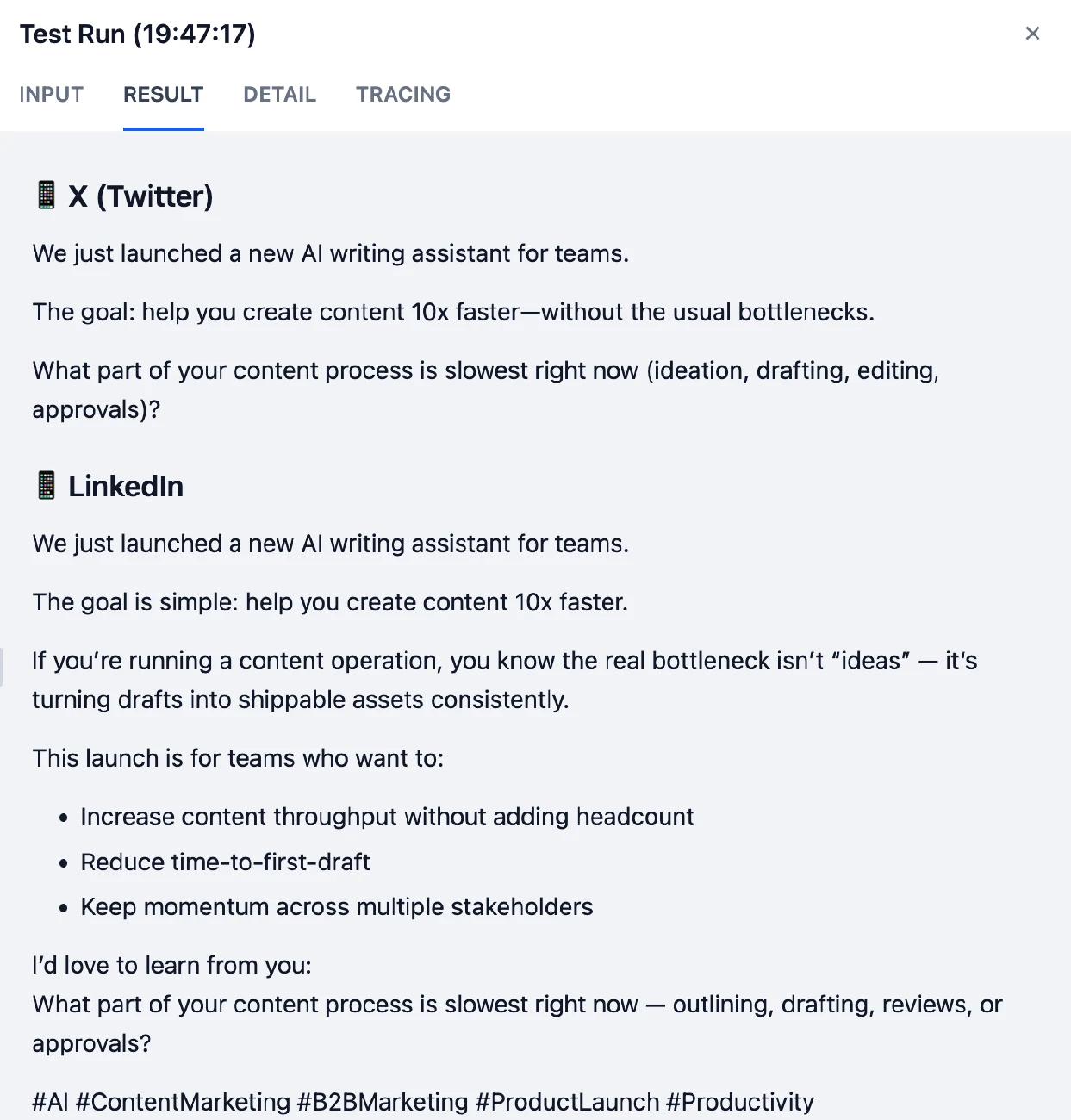 A test run result for two social posts in Dify
- 04
Schedule
InputAn interval or eventOutputA live automation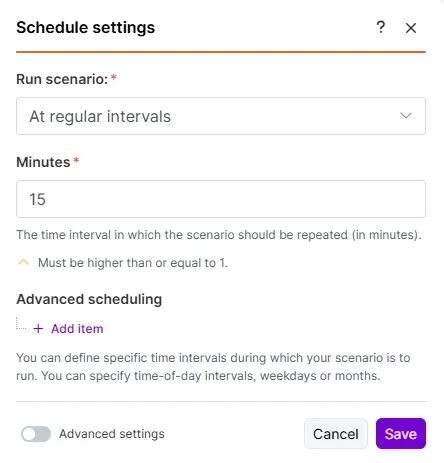 Schedule settings for a 15-minute interval in Make
Frequently asked questions
Are there free AI workflow automation tools?
Yes. 8 listed AI workflow automation tools offer a free plan, including HARPA AI, Bardeen, Zapier. Use the Pricing filter to compare free, freemium, and paid options.
Which AI workflow automation tools have an iOS app?
2 have an iOS app, including Taskade, Superhuman Docs. Use the Platform filter to check other platforms.
How are these tools ranked?
Recommended order shows matching Pro listings first, then Basic, then free and editorial listings. Listings within each group are ordered by publication date. You can also sort by newest or by name.