Best AI No-Code & Low-Code Tools
Compare AI no-code tools for apps, sites and workflows.
Updated Nov 24, 2026

Map app integrations and AI agents on a visual automation canvas

Build, test and publish applications through an AI coding agent

Build working web apps from requirements written in plain language

Build and publish web applications from a conversational brief

Design, manage and publish responsive websites on a visual canvas
Build AI applications from visible logic, knowledge and reusable tools
Related categories
What is a no-code builder?
A no-code builder lets you describe or arrange what you want and returns a working tool without hand-written code. The tools here generate apps from a prompt, lay out sites on a canvas, or connect steps in a visual workflow.
What to look for in a no-code builder
- 01
Prompt or canvas
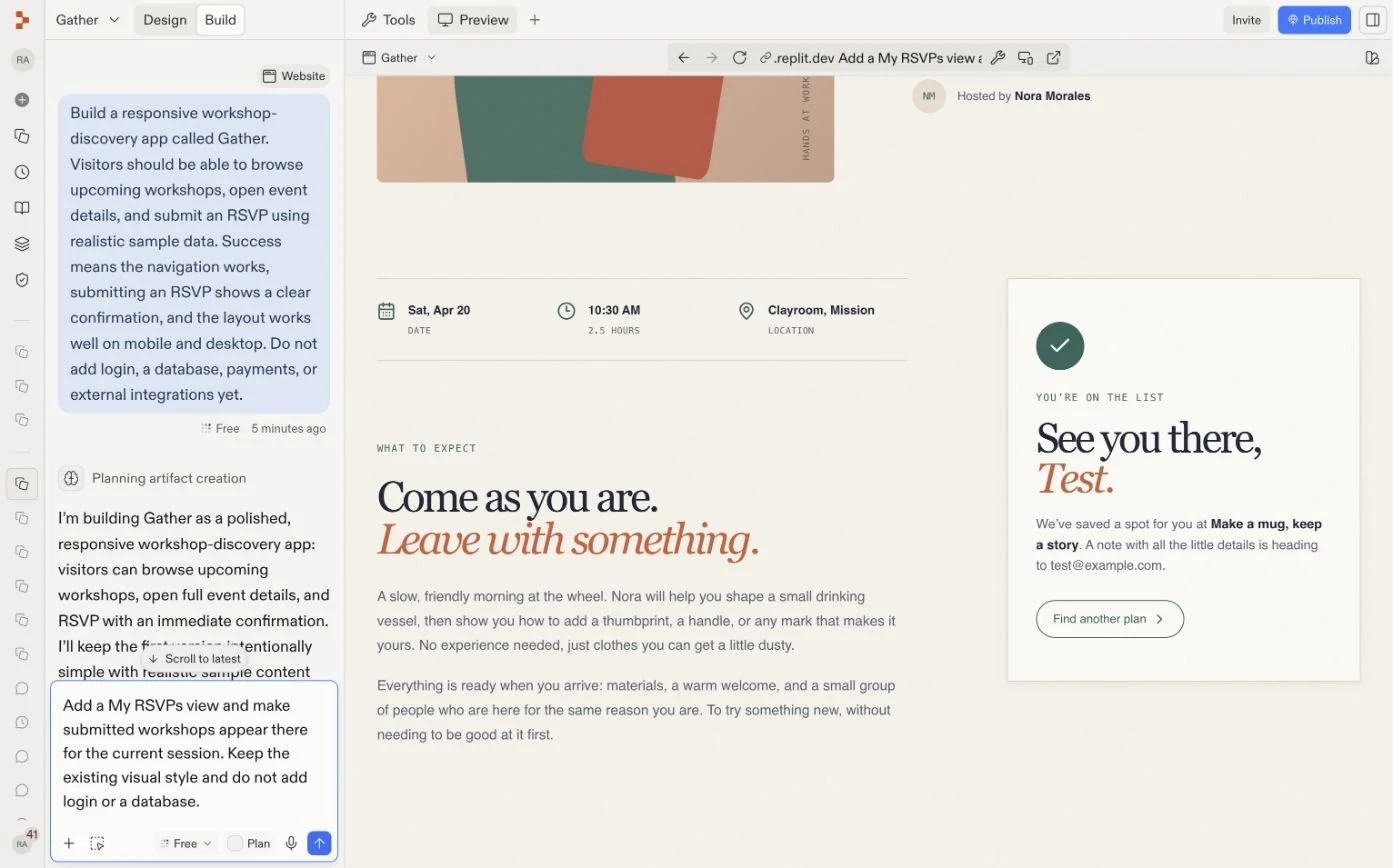
Lovable, Replit and Bolt start from a chat prompt, while Make and Dify start from connected steps on a canvas.
- 02
Code when needed
Make runs JavaScript or Python steps, Bolt keeps direct code editing available, and Framer accepts code-based components.
- 03
Test runs
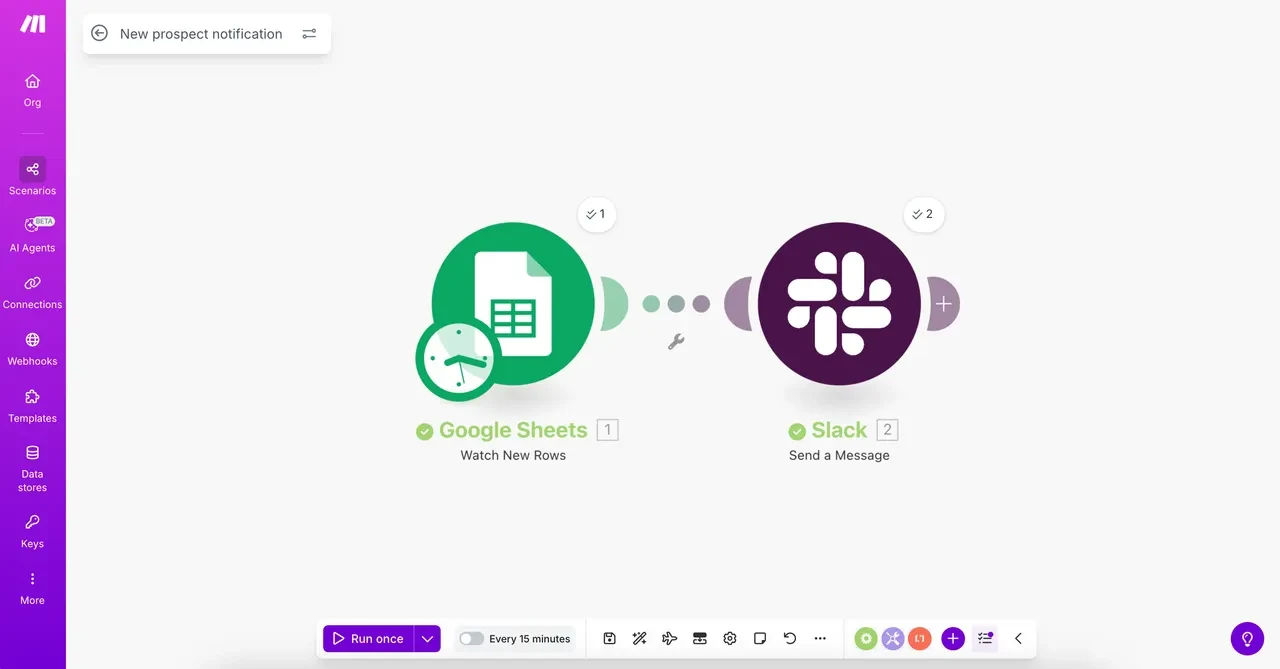
Make’s Run once shows each module’s output, and Dify’s Test Run keeps node logs and editable cached variables.
- 04
Content and knowledge
Framer’s CMS collections hold articles or events behind one detail-page layout, and Dify indexes uploaded documents as retrieval knowledge for its apps.
- 05
Outside app links
Make links Google Sheets, Slack and Gmail, Dify adds OpenAI, Anthropic and Notion, and Framer exports to HubSpot and Mailchimp.
- 06
Backup and transfer
Make imports and exports JSON blueprints, and Dify packages an app as an IFPKG file; credentials are set up again after import.
- 07
Updating live work
Lovable and Replit keep edits in preview until you publish an update to the live address.
Which a no-code builder fits your work
Operations analysts
Replace a spreadsheet-based process with an internal app.
LovableBusiness systems analysts
Transfer and transform records across applications.
MakeWebsite designers
Lay out and publish responsive pages on a visual canvas.
FramerInternal-assistant builders
Create agents grounded in company documents.
DifyHow does a no-code builder work?
Replit, Dify and Make each move from an idea to a running tool in these three steps.
- 01
Describe
InputAn idea in plain words, or a first moduleOutputA draft app or flow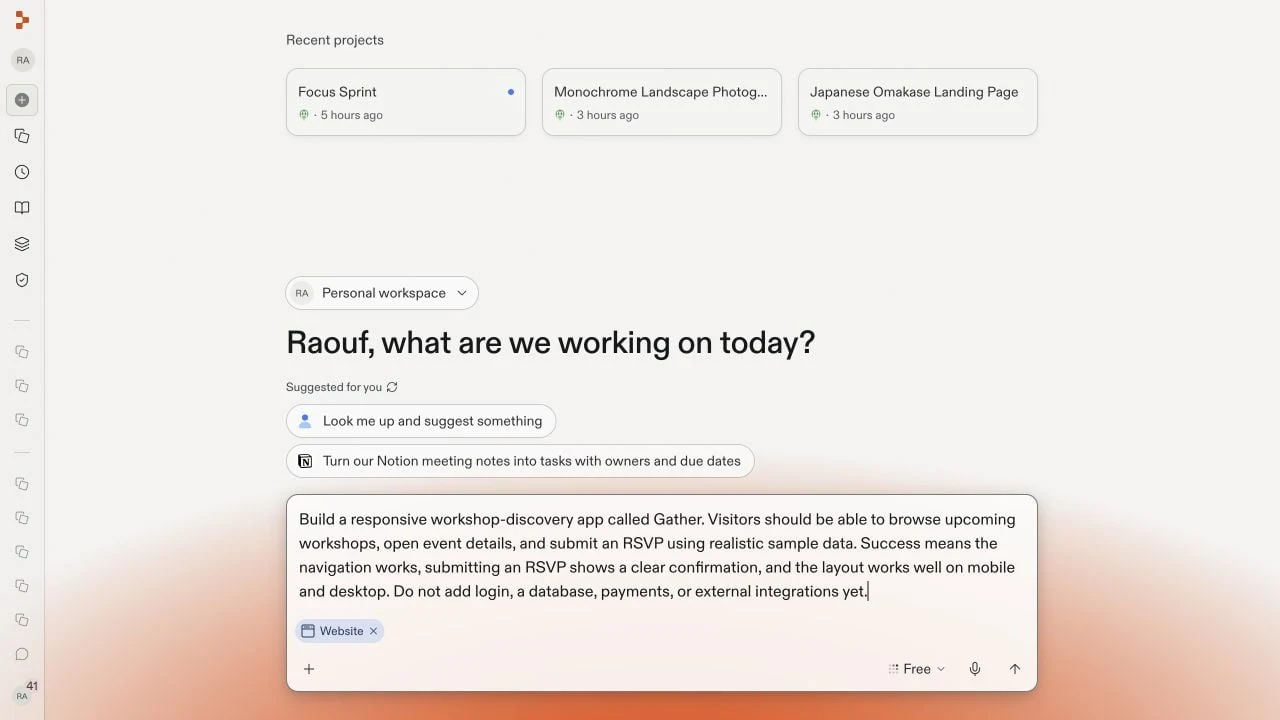 An app described in plain English in Replit
- 02
Configure
InputVariables, templates and settingsOutputA tuned workflow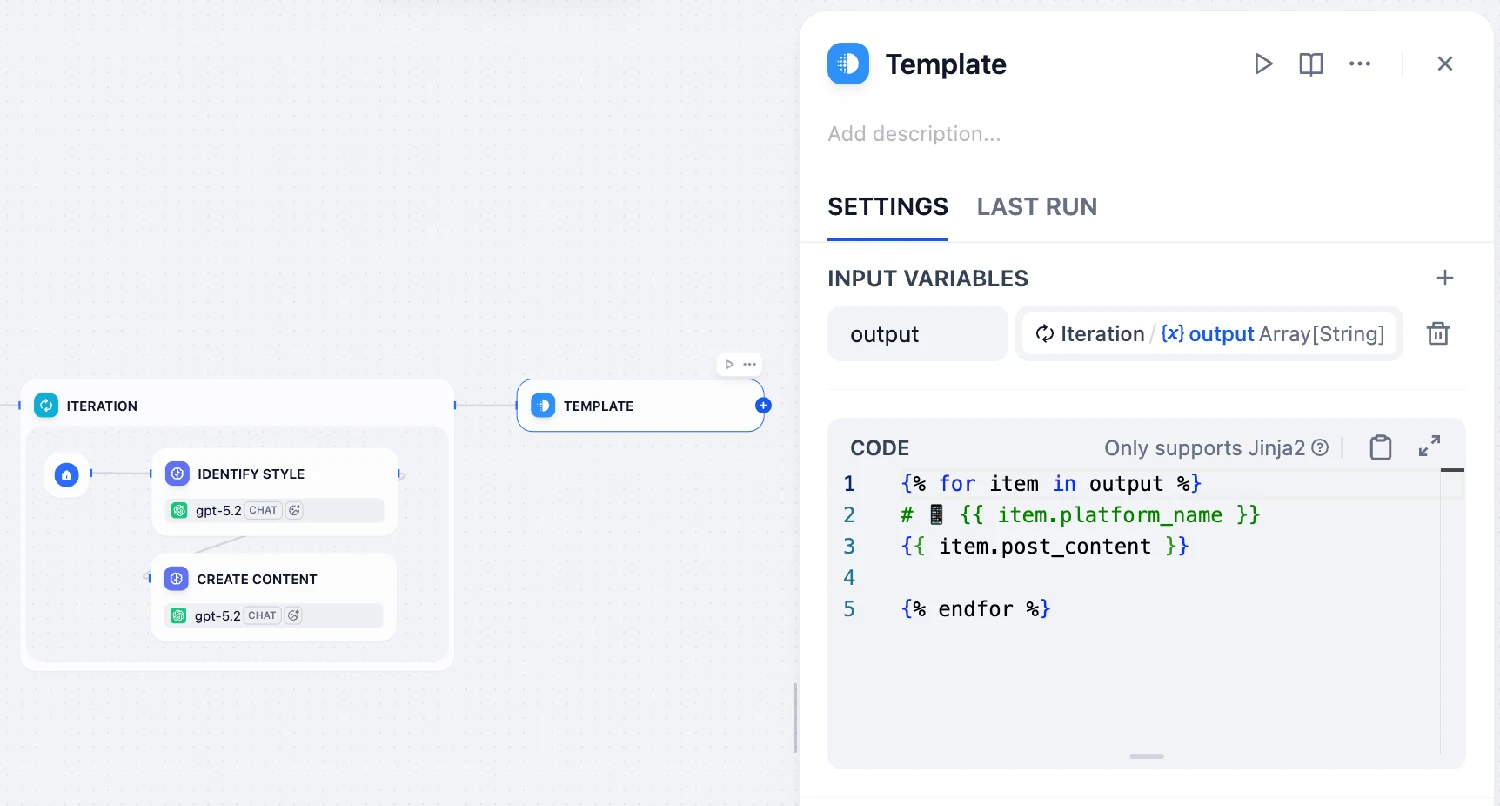 A template node and its input variable in Dify
- 03
Test
InputSample data or a visitor’s clicksOutputA first working version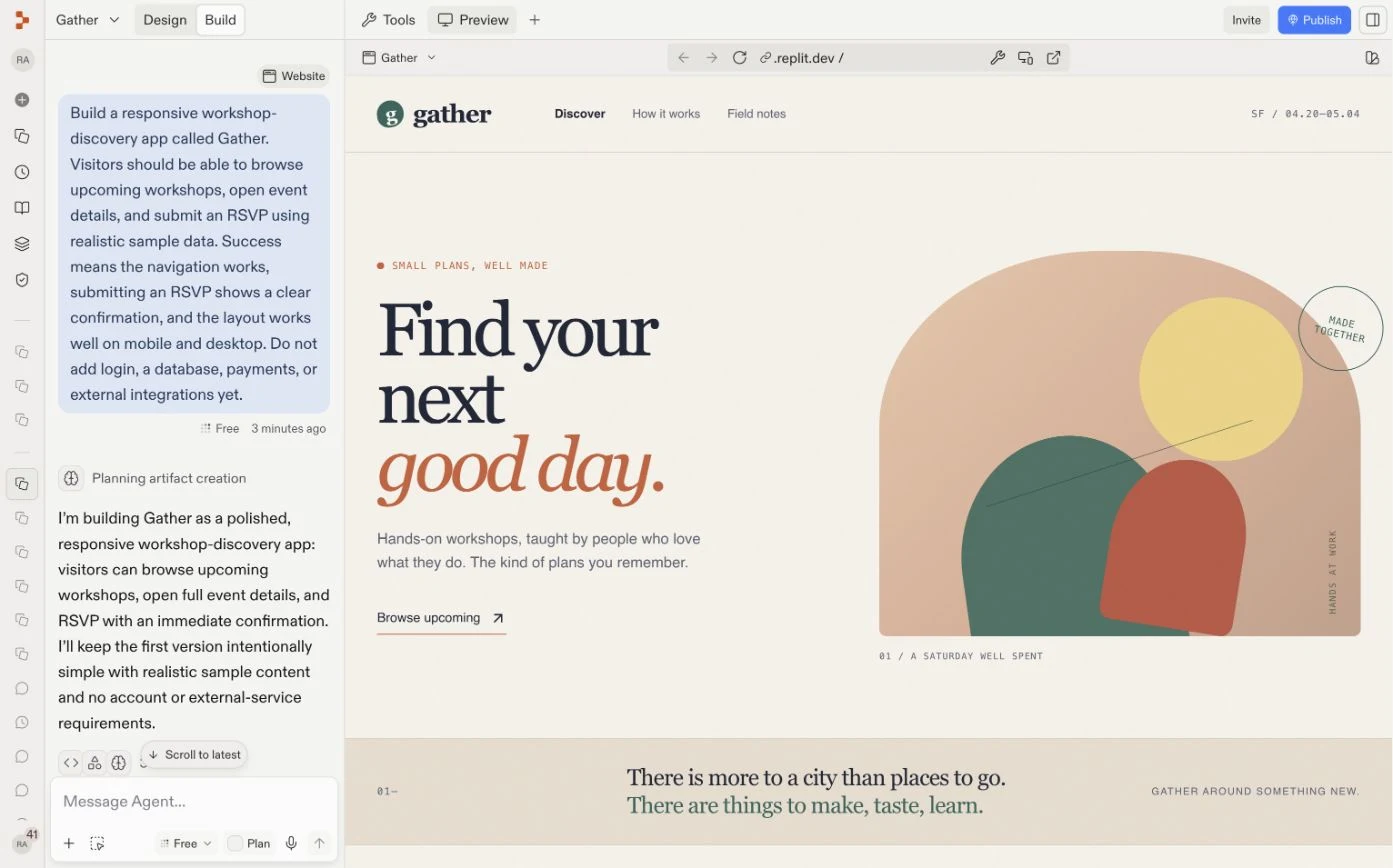 The first working version of the Gather site in Replit
Frequently asked questions
Are there free AI No-Code & Low-Code tools?
Yes. 6 listed AI No-Code & Low-Code tools offer a free plan, including Make, Replit, Lovable. Use the Pricing filter to compare free, freemium, and paid options.
Which AI No-Code & Low-Code tools have an iOS app?
Lovable has an iOS app. Use the Platform filter to check other platforms.
How are these tools ranked?
Recommended order shows matching Pro listings first, then Basic, then free and editorial listings. Listings within each group are ordered by publication date. You can also sort by newest or by name.