
What is Bolt?
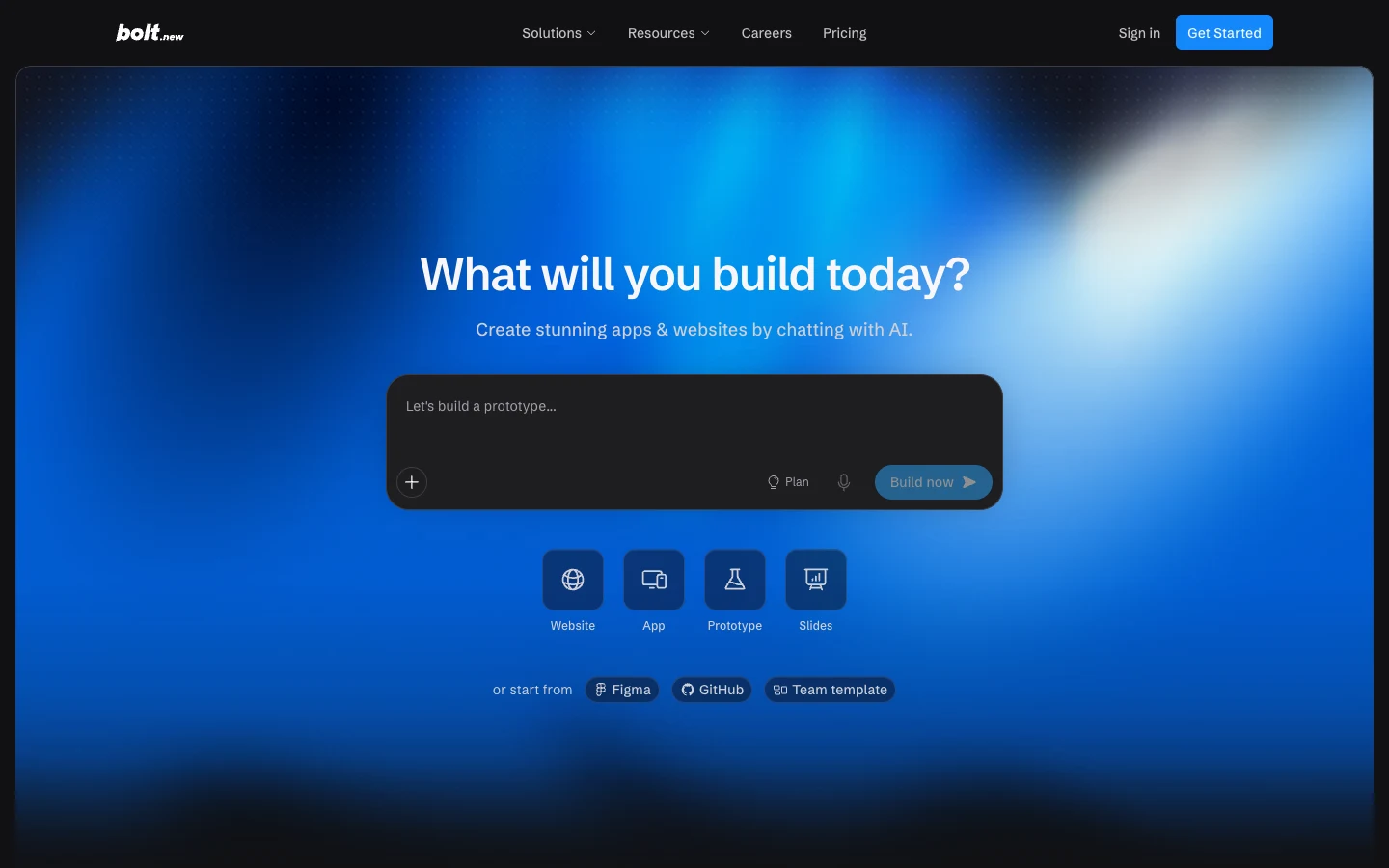
Bolt builds web applications from plain-language requests using AI. It combines generated code with previews, databases and hosting, giving founders and business teams a way to build a working tool and refine it before sharing it.
Describe the app people should use
Start with the intended experience, such as a customer portal or internal dashboard. The prompt can include account creation and saved data as well as the visible pages. Bolt generates a working version that you can try immediately, and its cloud services provide the backend resources needed for the app.
Refine the behavior and design
Test the main task, then describe what needs to change. A request can add behavior, correct a problem or revise the appearance of a selected element. Images can serve as design references or project assets. Direct code editing remains available when a change needs a more precise implementation than a conversational request.
Publish or continue in your own editor
Version history provides earlier implementations to revisit. A repository connection lets work continue with source control and changes made outside Bolt, while downloading the project offers a separate handoff to your own editor. Hosting provides a route from the tested app to a live product, so the initial prototype can become something other people use.
What can Bolt do?
- 01
Generate and revise app code
Turn written requirements into working behavior
- 02
Test agent changes
Exercise the project as implementation proceeds
- 03
Add data and authentication
Use Bolt Cloud for application services
- 04
Publish with a custom domain
Host the result and inspect site analytics
How do I get started with Bolt?
- 1
Describe the app
Open bolt.new, enter the behavior you need, click Build now, and complete sign-in or registration
- 2
Test the first build
Use Preview to try the main actions and check that saved data appears correctly
- 3
Refine the result
Use Select to target an element, describe the change in chat, and verify the updated preview
- 4
Publish the app
Click Publish, confirm with the second Publish button, and open the generated site link
What does Bolt work with?
- GitHub
- Figma
- Google Stitch
- Lovable
- Supabase
- Netlify
- Stripe
- Expo
- Notion
- Linear
- Figma
- Google Stitch
- Lovable
- GitHub
- JPEG
- PNG
- GIF
- WEBP
- SVG
- TXT
- CSV
- ZIP
- GitHub
- Netlify
Who is Bolt for?
- Product prototypers
Build an interactive version of a proposed user journey
- Client-site agencies
Adapt templates into sites and storefronts
How much does Bolt cost?
- Free plan · 300,000 tokens per day, capped at 1 million per month.
What are Bolt's limitations?
Prompt attachments
Bolt rejects attached files over 5 MB when the prompt is sent, even if the larger file uploaded successfully
App technology
Bolt builds JavaScript-based applications; other code languages can supply reference material
GitHub branches
A linked project stays on main and cannot be switched to another branch
Project downloads
ZIP downloads are available on desktop, not mobile
Connector permissions
Enabled tools apply across all projects and cannot be configured individually for each project
Bolt FAQ
What do Bolt tokens measure?
They measure work such as processing prompts and project files, planning changes, and generating code.
More tools like Bolt
 Framer
Design, manage and publish responsive websites on a visual canvas
 Dify
Build AI applications from visible logic, knowledge and reusable tools
 Devin
Delegate repository changes and engineering maintenance to coding agents
 Cursor
Implement and review code changes with repository-aware agents
 CodeRabbit
Review code changes and prioritize the pull requests that need attention
 Cline
Plan and implement repository changes with a configurable coding agent
Usage-based pricing
 GitHub Copilot
Implement and review repository work across editor and agent sessions
 Qodo
Review code against repository context and shared engineering rules