
Otter.ai
Turn meetings and interviews into searchable notes and transcripts
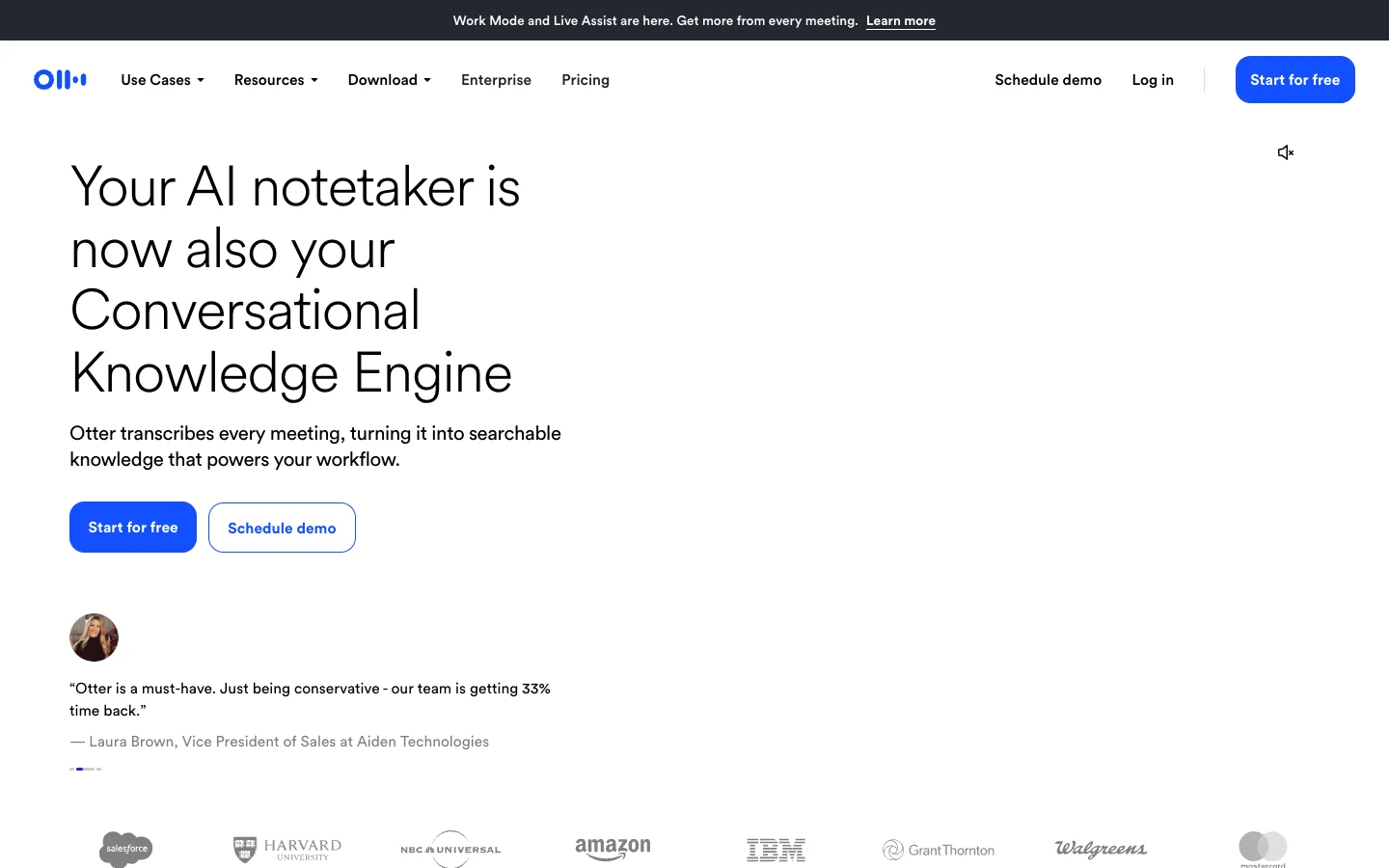
What is Otter.ai?
Otter.ai is an AI meeting assistant for teams that need transcripts, summaries and action items from their calls. Its Notetaker can join scheduled or ad-hoc meetings, while desktop recording captures conversations without a bot participant. Uploaded audio and video can be processed into the same kind of meeting record.
Capture the discussion as it happens
Linking a calendar brings scheduled meetings into Otter. Auto-join settings determine which calls Notetaker attends; a meeting can also be selected manually. The resulting conversation combines speaker-identified text with notes and action items, making the discussion available for follow-up without replaying every minute.
Return to decisions and source material
Questions about meeting history help locate what was discussed. For sales work, eligible calendar-linked conversations can send notes to Salesforce. Recordings supplied from elsewhere receive a transcript, outline and summary after processing, with meeting templates providing another way to organize the record.
Share the useful version
A conversation can leave as text or audio. Text export can include speaker names, timestamps, highlights and images; subtitle output preserves timing for video work. Shared conversations can also be exported when the recipient has permission. On mobile, audio recorded offline uploads when connectivity returns, separating capture from the online transcription stage.
What can Otter.ai do?
- 01
Transcribe speakers live
Convert speech into text with speaker identification
- 02
Summarize decisions
Collect takeaways and action items from the discussion
- 03
Ask about meeting history
Answer questions from conversations and supported source integrations
- 04
Record without a meeting bot
Capture calls with the Mac or Windows desktop app
- 05
Import audio and video
Transcribe recorded material within plan limits
How do I get started with Otter.ai?
- 1
Connect your calendar
Sign in to Otter and link the calendar containing your meetings
- 2
Choose recording settings
Decide which meetings Notetaker should join automatically, or select a meeting manually
- 3
Record the call
Let Notetaker attend the meeting, then open the saved conversation
- 4
Review the notes
Read the transcript, summary and action items, and share or export the result
What does Otter.ai work with?
- Zoom
- Google Meet
- Microsoft Teams
- Google Calendar
- Salesforce
- MP3
- M4A
- WAV
- WMA
- OGG
- AVI
- MOV
- MPEG
- MP4
- WMV
- MKV
- Dropbox
- TXT
- DOCX
- SRT
- MP3
Who is Otter.ai for?
- Interview reporters
Find passages in recorded conversations
- University note-takers
Revisit lecture transcripts while preparing study notes
- Account executives
Pass customer-call notes into CRM follow-up
How much does Otter.ai cost?
- Free plan · 300 transcription minutes per month and 3 file imports in total.
- or $8.33/user/mo billed yearlySave 51%
What are Otter.ai's limitations?
Imported recordings
Each file can be no larger than 5 GB
Basic text export
Conversations can be downloaded only as TXT; other text formats need a paid plan
Paused recordings
Around 20 minutes of inactivity finalizes the recording, which then cannot be resumed
Device changes
An active recording cannot be transferred between devices
Otter.ai FAQ
Is an API available?
Yes. Enterprise includes API access and webhooks.
More tools like Otter.ai
 Krisp
Reduce call noise and keep meeting notes without a participant bot
 VEED
Edit and caption videos in the browser for publication
 Notion
Keep documents, project records and company knowledge together
 Descript
Edit spoken audio and video by working with the transcript
 Gemini Notebook
Study and brief from a notebook of your own research sources
 Readwise
Keep reading highlights available for review and later writing
 Beautiful.ai
Build branded presentations with layouts that adapt to the content
 Gamma
Turn ideas and source documents into presentations and visual pages