
Krisp
Reduce call noise and keep meeting notes without a participant bot
What is Krisp?
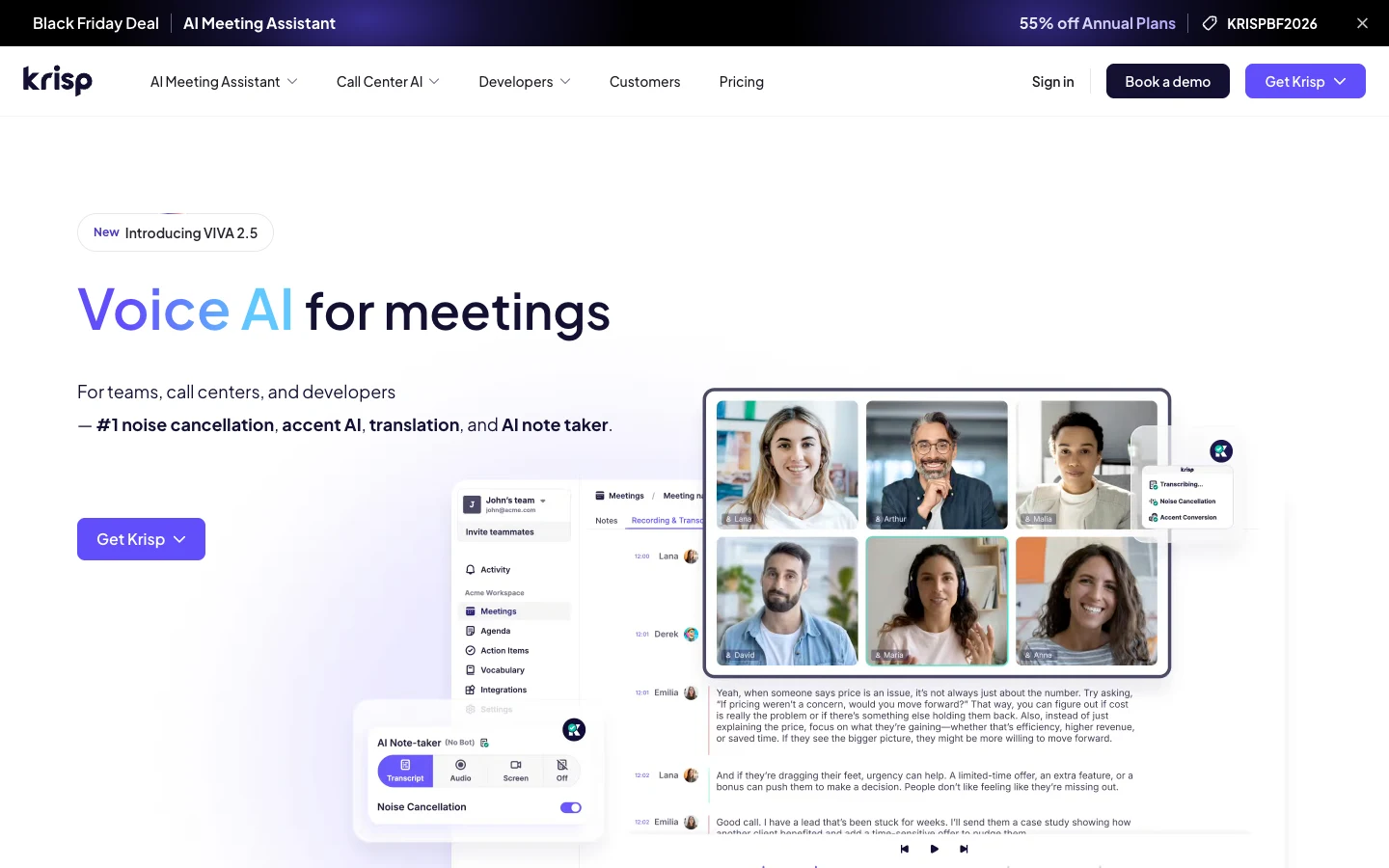
Krisp is a desktop meeting assistant built around AI noise cancellation. It removes background noise, echo and cross-talk on any meeting platform, and its AI Note Taker records and transcribes calls without adding a bot participant.
Clean audio on both sides of the call
Installing Krisp adds a Krisp Microphone and a Krisp Speaker to your computer. Selecting both in your call app filters what others hear from you and what you hear from them, and lets Krisp capture the full conversation for the transcript. For call centers, Krisp offers separately installed products for real-time accent conversion and voice translation.
Notes without a bot in the room
The AI Note Taker can start before or during a meeting from the Krisp app, in Transcribe only, Audio Recording or Screen Recording mode. Afterward, the meeting history keeps the transcript, a summary and action items, and you can add company names, acronyms and industry terms so they are transcribed correctly.
Calls away from the desk
The mobile app records face-to-face meetings, and earlier recordings can be uploaded for transcription. Notes and action items can be pushed to Salesforce, HubSpot or Slack, so follow-up does not depend on copying the transcript by hand.
What can Krisp do?
- 01
Cancel call noise
Reduce background sound, echo and cross-talk
- 02
Transcribe without a bot
Capture searchable meeting text without adding a participant
- 03
Teach specialist vocabulary
Add company names, acronyms and industry terms
- 04
Prepare meeting notes
Extract summaries and action items
- 05
Record mobile conversations
Transcribe in-person audio and uploaded recordings
How do I get started with Krisp?
- 1
Install the desktop app
Create a Krisp account and install the Krisp AI Meeting Assistant on Mac or Windows
- 2
Route your audio
In your call app's audio settings, select Krisp Microphone and Krisp Speaker
- 3
Pick a Note Taker mode
In the AI Note Taker section, choose Transcribe only, Audio Recording or Screen Recording
- 4
Review the meeting
Open it in Krisp after the call to read the transcript, summary and action items
What does Krisp work with?
- Salesforce
- HubSpot
- Slack
- Microsoft Teams
- Zapier
- Make
- HubSpot
- Microsoft Teams
Who is Krisp for?
- Remote call participants
Reduce distracting noise while retaining decisions
- Field account managers
Record in-person discussions for later follow-up
How much does Krisp cost?
- Free trial · 7-day trial of all premium features; no credit card required.
- or $8/user/mo billed yearlySave 50%
What are Krisp's limitations?
File uploads
Transcription of uploaded recordings requires Core or Advanced and accepts one file at a time
Short calls
Meetings under 30 seconds produce no recording, transcript, or notes
Recording length
One recording lasts up to four hours; leave and rejoin to begin another session
Mobile noise cancellation
This feature is available through the desktop app, not the mobile app
Teams automation
Automatic posting of meeting notes applies only to recurring meetings
More tools like Krisp
 tl;dv
Analyze meeting collections for customer feedback and sales coaching
 Speechify
Listen to documents and use speech to work through reading material
 AIVA
Compose music from styles and references, then continue editing
 ElevenLabs
Create narration, dubbed speech and sound for audio productions
 Suno
Turn lyrics and musical ideas into songs for writers and producers
 Mubert
Create music fitted to a video, podcast or application