
Notta
Transcribe conversations and turn their findings into working documents
What is Notta?
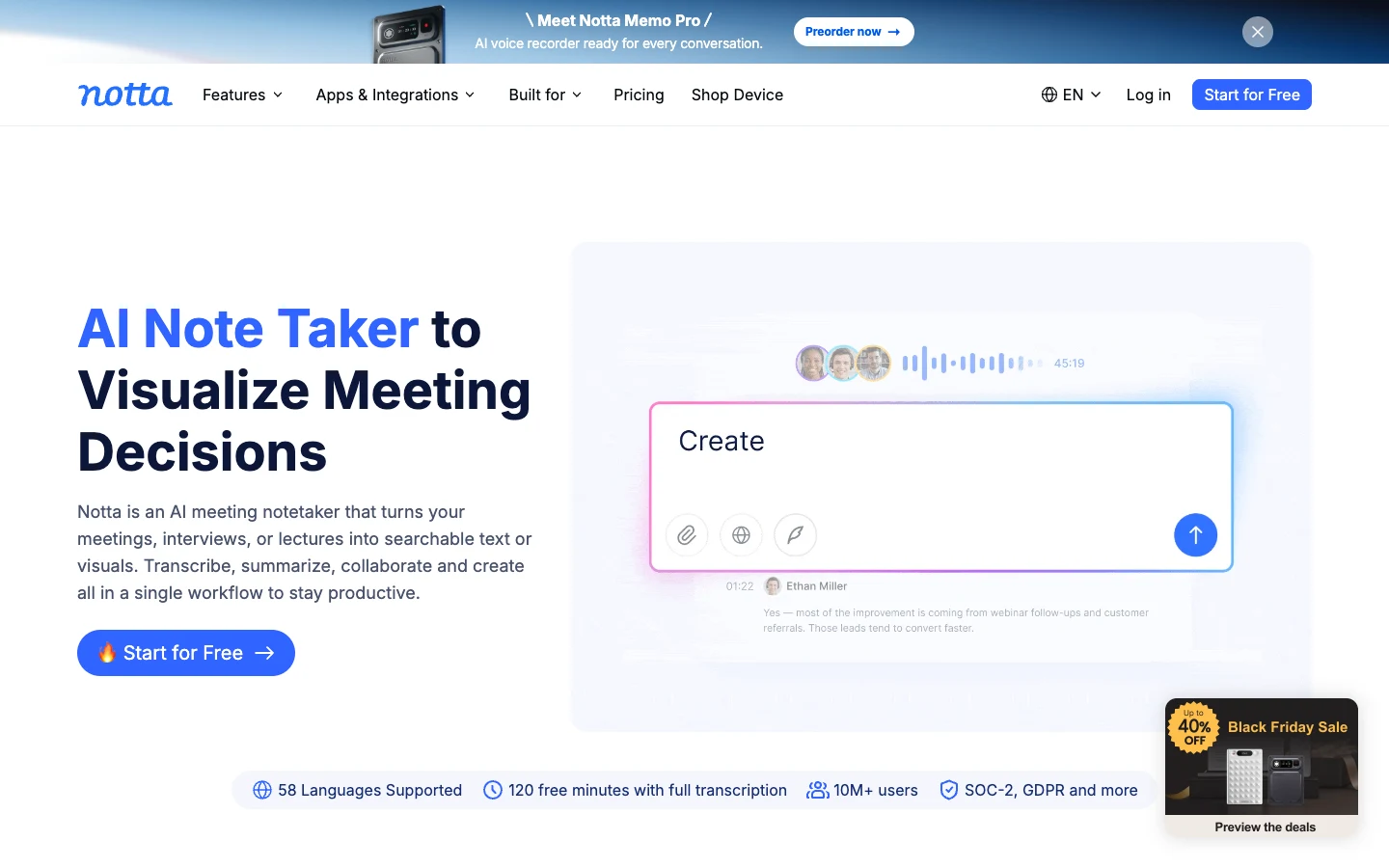
Notta keeps a meeting recording, its transcript, and later analysis in a workspace where the result can be reviewed, edited, or shared. For a live online meeting, the bot produces text as participants speak. The resulting text can be corrected and summarized, giving the team both a detailed record and a shorter account of the discussion.
Compare decisions across meetings
Notta Brain answers questions using meeting records and supplied documents. A project review can compare earlier decisions across several calls, while a particular recording provides context for a detailed question. The resulting analysis can become a written answer or presentation outline, turning the meeting archive into material for the next discussion.
Share the notes people need
Transcripts, translations and AI notes can be downloaded for use outside the workspace. A share link provides a living record that reflects later edits, allowing colleagues to read the current summary without receiving another file. Team permissions distinguish who can read and edit the records, while the original recording remains available for a closer review of the conversation.
What can Notta do?
- 01
Record with or without a bot
Use meeting capture or Mac and Windows desktop audio
- 02
Transcribe recorded material
Import audio, video or a YouTube link
- 03
Capture two-language discussions
Use supported bilingual transcription and side-by-side translation
- 04
Ask across conversations
Find themes, decisions and commitments in meeting records
- 05
Create follow-up deliverables
Turn findings into emails, presentations or infographics
How do I get started with Notta?
- 1
Invite the bot
Sign in to Notta Web, choose Record online meeting, set the spoken language, paste an active meeting link, and click Transcribe now
- 2
Allow entry
Have the host admit Notta Bot when required and approve recording in Zoom
- 3
Follow the transcript
Open the transcription task in Notta to read the live text
- 4
Save the meeting record
Click End recording when finished; review, edit, or share the saved transcript in your workspace
What does Notta work with?
- Zoom
- Google Meet
- Microsoft Teams
- Webex
- Google Drive
- Notion
- Salesforce
- DOCX
- XLSX
- PPTX
- TXT
- MP3
- WAV
- DOCX
- MP4
- SRT
- XLSX
- PNG
- PPTX
- Google Drive
- Notion
Who is Notta for?
- Client consultants
Turn a discussion into a brief or presentation
- Interview researchers
Compare themes across recordings
How much does Notta cost?
- Free plan · 120 transcription minutes per month, limited to 3 minutes per conversation, plus 10 AI summaries.
- or $8.17/seat/mo billed yearlySave 39%
What are Notta's limitations?
Bot waiting room
Entry must be approved within five minutes or the bot is removed
Bot duration
Recording ends after five hours or when every other participant has left
Meeting types
Zoom and Webex webinars and Teams meetings requiring user authentication are unsupported
Record downloads
Require Pro or above plus Edit and Download permission; batch download selects up to ten records, not folders
Notta Brain attachments
Up to three files per upload, each no larger than 32 MB
More tools like Notta
 Fathom
Turn customer calls into notes, CRM follow-up and coaching material
 tl;dv
Analyze meeting collections for customer feedback and sales coaching
 Notion
Keep documents, project records and company knowledge together
 Gemini Notebook
Study and brief from a notebook of your own research sources
 Readwise
Keep reading highlights available for review and later writing
 Krisp
Reduce call noise and keep meeting notes without a participant bot
 Speechify
Listen to documents and use speech to work through reading material
 AIVA
Compose music from styles and references, then continue editing