Best AI Developer Tools
Discover AI developer tools for your editor, terminal and pull requests.
Updated Nov 24, 2026

Implement and review code changes with repository-aware agents

Review code changes and prioritize the pull requests that need attention


Review code against repository context and shared engineering rules
Related categories
What is an AI developer tool?
An AI developer tool adds code changes or review feedback to the place you already work, the editor or the pull request. Cursor and Cline write edits across several files, while CodeRabbit and Qodo check each change before it merges.
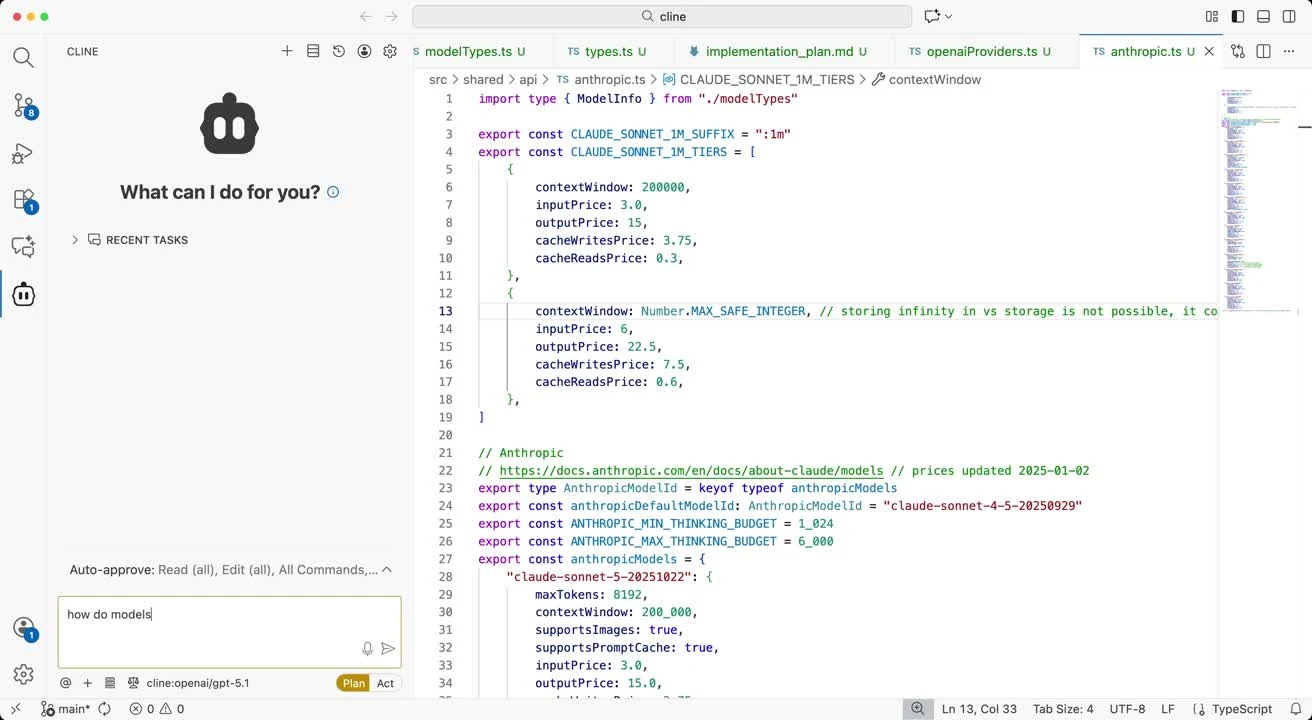 A chat panel beside open code in Cline
 Pull requests triaged by priority in CodeRabbit
What to look for in an AI developer tool
- 01
Editor fit
Cursor imports VS Code settings but uses Open VSX for extensions, and Cline installs in VS Code, JetBrains, Zed or Neovim.
- 02
Models and context
Cline accepts API credentials, compatible endpoints, or local Ollama and LM Studio models, and Cursor narrows a task with @ file references.
- 03
Agents beyond the editor
Cline offers an SDK, headless runs and schedules, and Cursor hands work to cloud agents you can direct from an iPhone.
- 04
Merge gates
CodeRabbit runs configured checks before merging, and Cursor lets you reject unwanted edits and run the project’s checks before you accept.
- 05
After the merge
CodeRabbit can update a changelog or send a notification once a pull request merges, and Qodo compares how findings were handled across repositories.
- 06
Issue tracker links
CodeRabbit can create a tracker issue from a finding, and Qodo connects to Jira and Linear.
- 07
Runtime requirements
Cline’s command-line app and Qodo’s Toolbox CLI both need Node.js 20 or newer.
Which AI developer tool fits your work
Software engineers
Implement and test a change across repository files.
ClineEngineering reviewers
Inspect agent changes and the run artifacts behind them.
CursorRelease managers
Update the changelog and notify the team after each merge.
CodeRabbitTeams using coding agents
Review local edits through Claude Code, Codex or Kiro.
QodoHow does an AI developer tool work?
Cline, Cursor and CodeRabbit each cover one stage of the same change.
- 01
Set up
InputA model provider and API keyOutputA connected assistant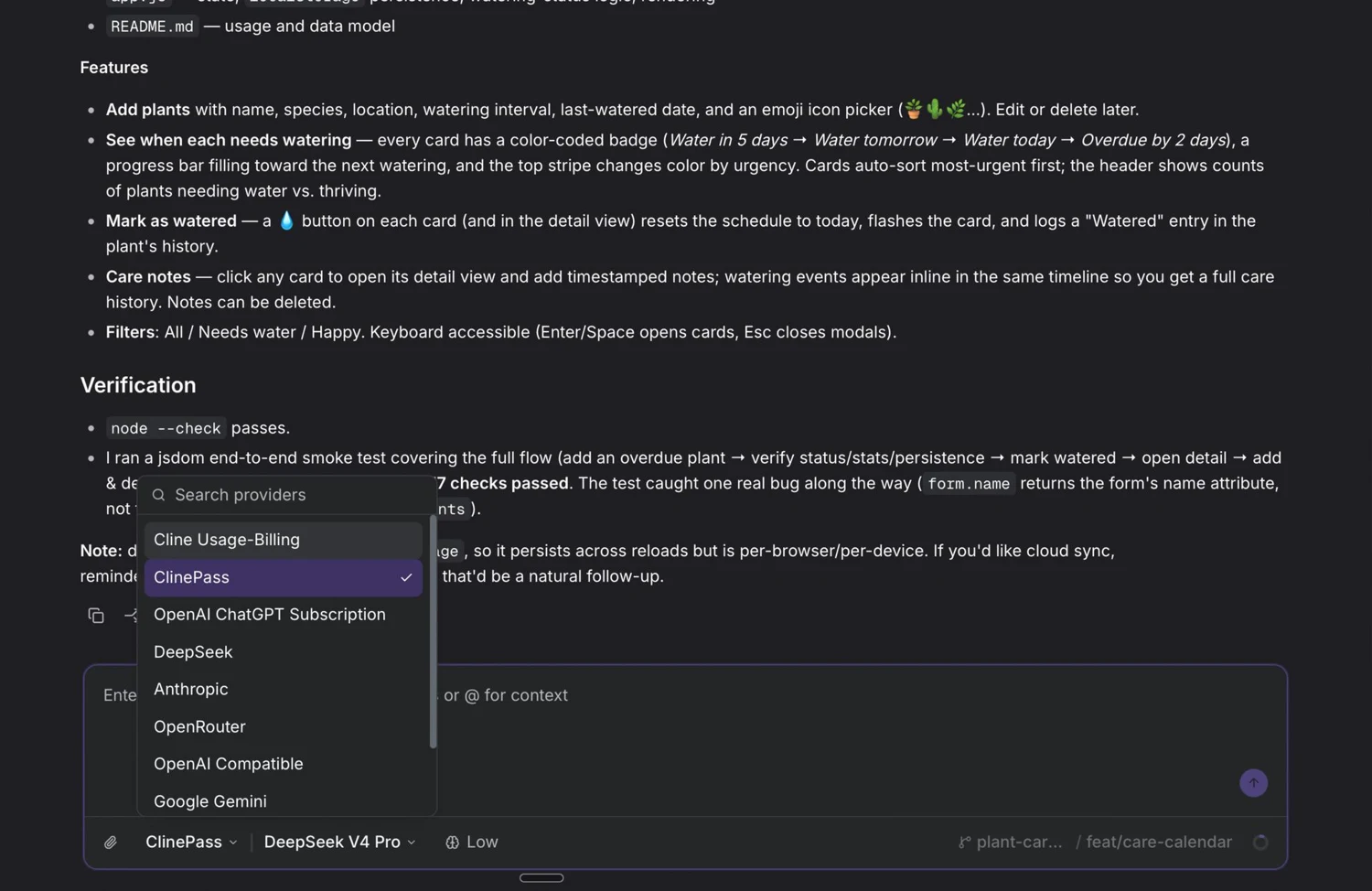 Model providers to choose from in Cline
- 02
Plan
InputA feature request and the codebaseOutputA task list and open questions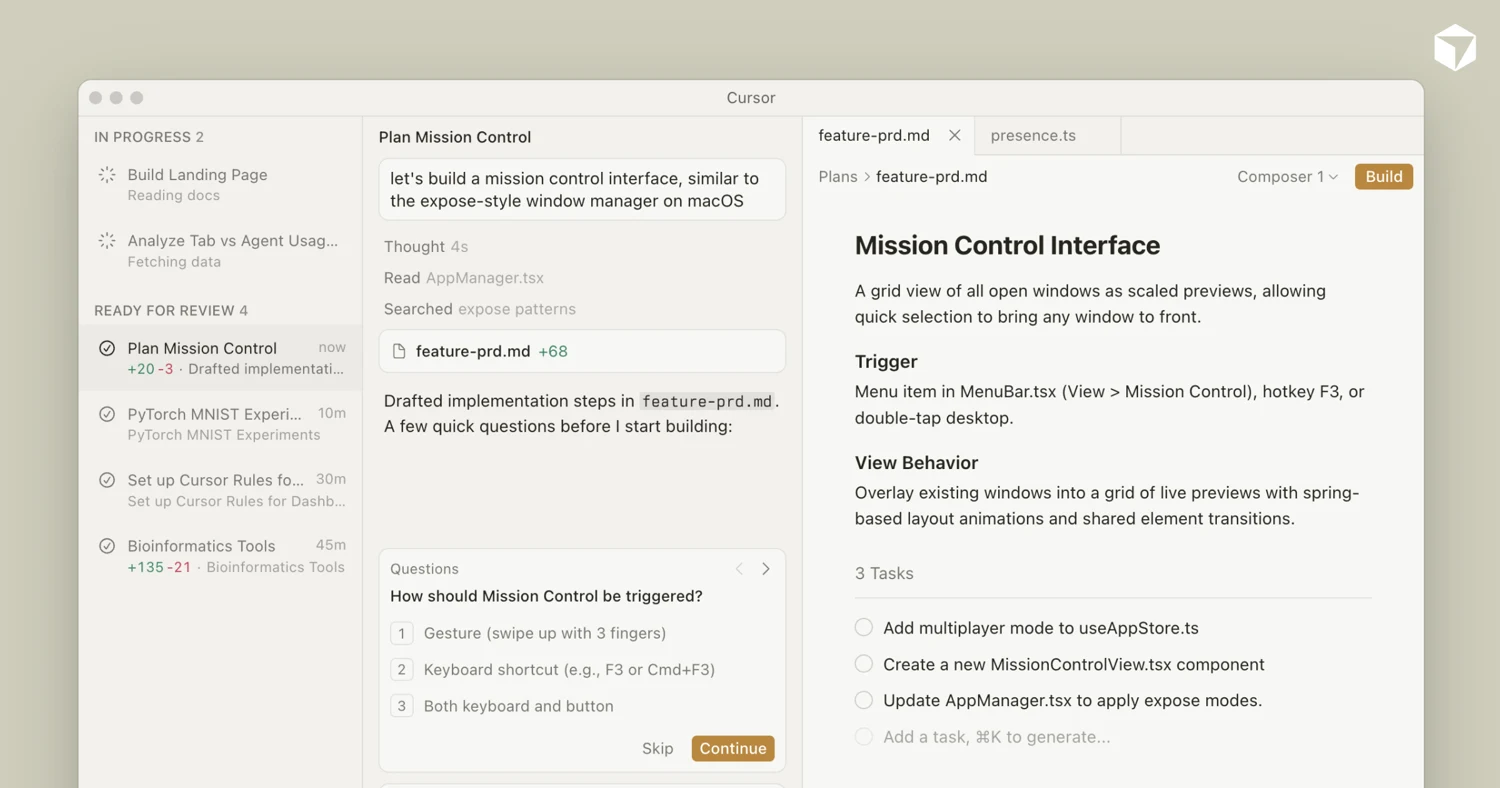 A task list and questions before building in Cursor
- 03
Inspect
InputThe edits made in the editorOutputReview comments on each change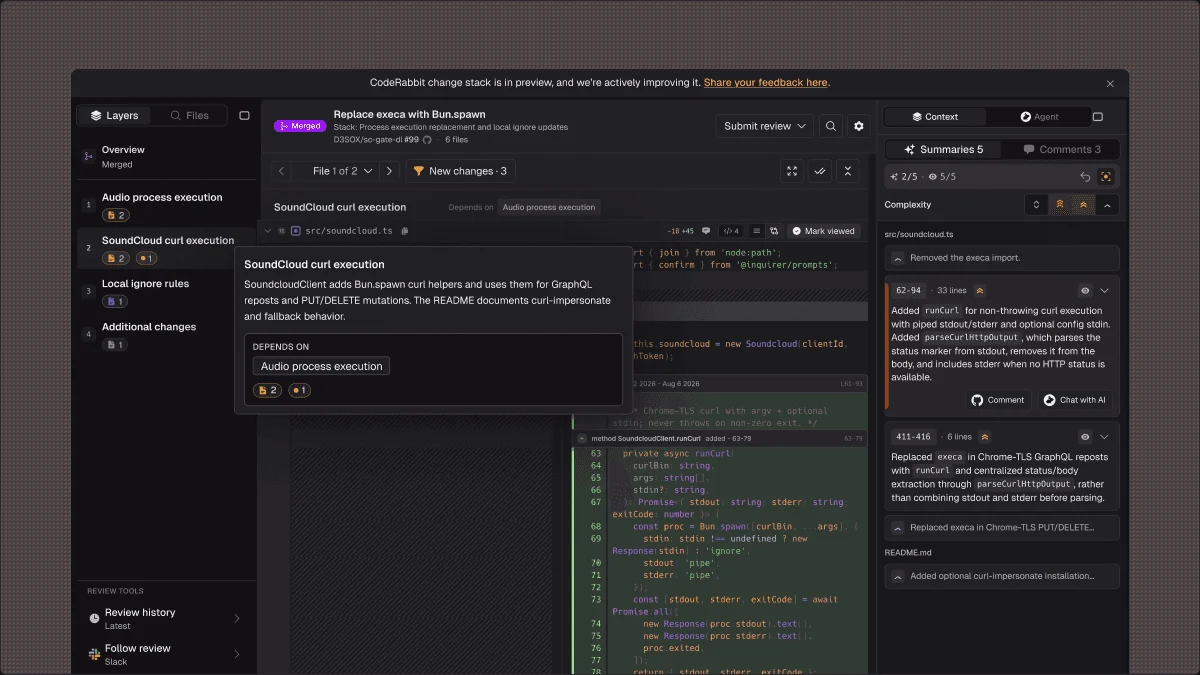 A layered change summary with review comments in CodeRabbit
Frequently asked questions
Are there free AI developer tools?
Yes. 2 listed AI developer tools offer a free plan, including Cursor, Cline. Use the Pricing filter to compare free, freemium, and paid options.
Which AI developer tools have an iOS app?
Cursor has an iOS app. Use the Platform filter to check other platforms.
How are these tools ranked?
Recommended order shows matching Pro listings first, then Basic, then free and editorial listings. Listings within each group are ordered by publication date. You can also sort by newest or by name.