
Fotor
Retouch photos and turn them into layouts and generated imagery
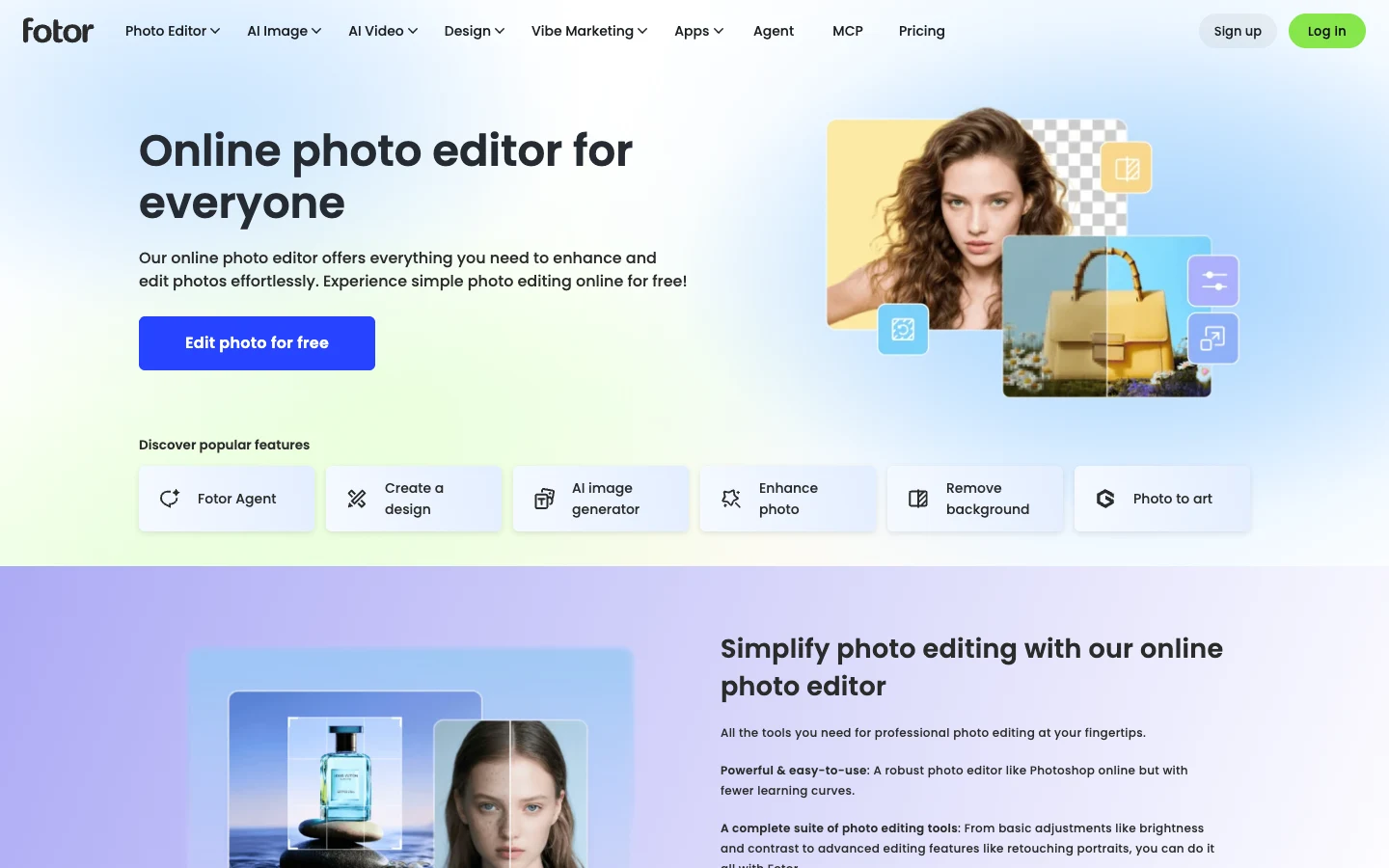
What is Fotor?
Fotor is a photo-editing and design service for enhancing pictures and preparing visual content. Its AI tools address image quality, portrait retouching, background replacement and object removal, alongside generation and image expansion. Photo Editor, Design and Collage provide different ways to work with the supplied material.
Improve the photograph you already have
Upload a picture to enhance its brightness, color and sharpness, then compare the result before saving. Portrait retouching provides more focused work on people, while restoration and colorization address older photographs. This route starts with your source image and improves its presentation without requiring a generation prompt.
Change the scene around the subject
Background removal separates the subject for a new setting, and object removal clears unwanted elements from the composition. When the frame is too tight, image expansion adds surrounding content. Text-based generation offers a separate way to create new imagery, which can then become material for a larger design.
Build a layout from the finished images
Design templates combine pictures with text for promotional and other visual content. Collage arranges several images into one composition, and custom fonts help match the lettering to the project. Batch tools support repeated photo work. The result can leave as an edited image or a completed layout, depending on the kind of project you started.
What can Fotor do?
- 01
Enhance and retouch photos
Improve source images and portrait details
- 02
Restore older pictures
Repair and colorize photographic material
- 03
Replace a background
Isolate the subject and choose new surroundings
- 04
Remove unwanted objects
Clear selected elements from a composition
- 05
Generate or extend images
Create artwork or add content beyond the original edges
- 06
Build photo layouts
Use templates, collages and batch tools
How do I get started with Fotor?
- 1
Upload a photograph
Open the AI Photo Enhancer and select Upload Image to choose your source picture
- 2
Apply enhancement
Let the enhancer process the photograph and adjust its image quality automatically
- 3
Inspect and save
Review the enhanced preview, then use Download to save the result
What does Fotor work with?
- JPG
- JPEG
- PNG
- WEBP
- HEIC
- HEIF
- JPG
- PNG
Who is Fotor for?
- Product-photo editors
Prepare image sets for an online catalog
- Photo-album makers
Restore older pictures and combine them in layouts
How much does Fotor cost?
- Free plan · Limited AI credits, 512 MB of storage and 50 agent chats.
What are Fotor's limitations?
Paid editing assets
Using premium features, effects or assets requires Pro or Pro+ before the work can be downloaded
Custom fonts
Font uploads are available in Design and Collage, but not Photo Editor
More tools like Fotor
 VanceAI
Enhance photos, restore damaged images and improve video footage
 TatSketchFeatured
Turn text prompts into custom tattoo concepts
 Recraft
Create illustrations and editable vector assets for design projects
 Upscayl
Enlarge photos and illustrations on your desktop
 Looka
Create a logo and matching brand material for a new business
 Spline
Build interactive 3D scenes for websites and applications
 Figma
Design interfaces and explore working prototypes with product collaborators
 Napkin AI
Turn written explanations into editable diagrams and presentation visuals